
- XTREME VIDEO CAPTURE CARDS
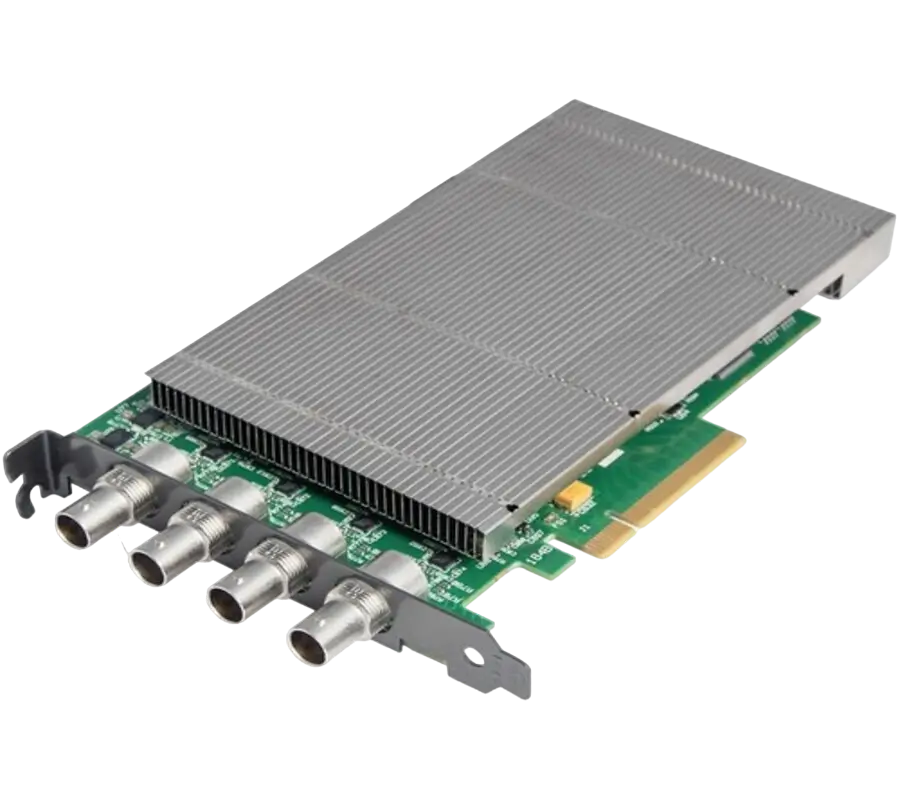
XtremeDV-SDI4
Ideal for use in broadcast markets or with any SDI capable applications the XtremeDVI-SDI4 provides four 3G-SDI inputs each capable of capturing 1920x1080p at 60 frames per second.
- GRAPHICS CONTROLLER (MULTISCREEN)
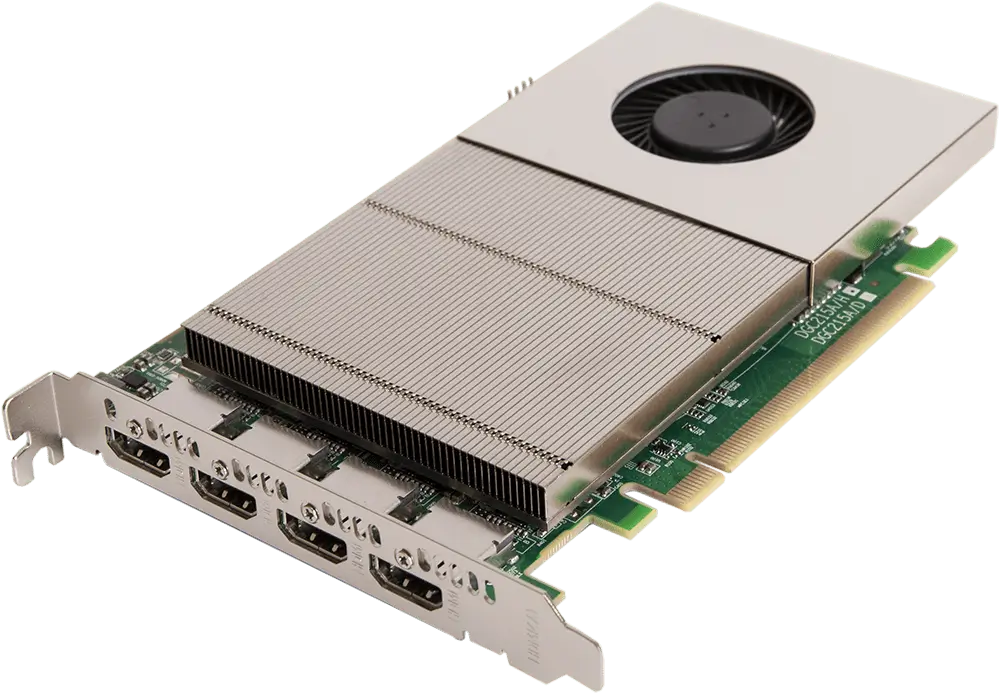
XtremeImage-4K
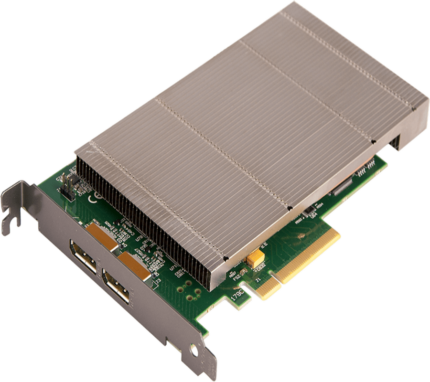
4 channel DisplayPort 4K Graphics Card
- Four 4K60 4:4:4 HDMI 2.0 outputs
- Enables full 4K60 capture and display in EMS VSN controllers
- VIDEO WALL CONTROLLER SYSTEM
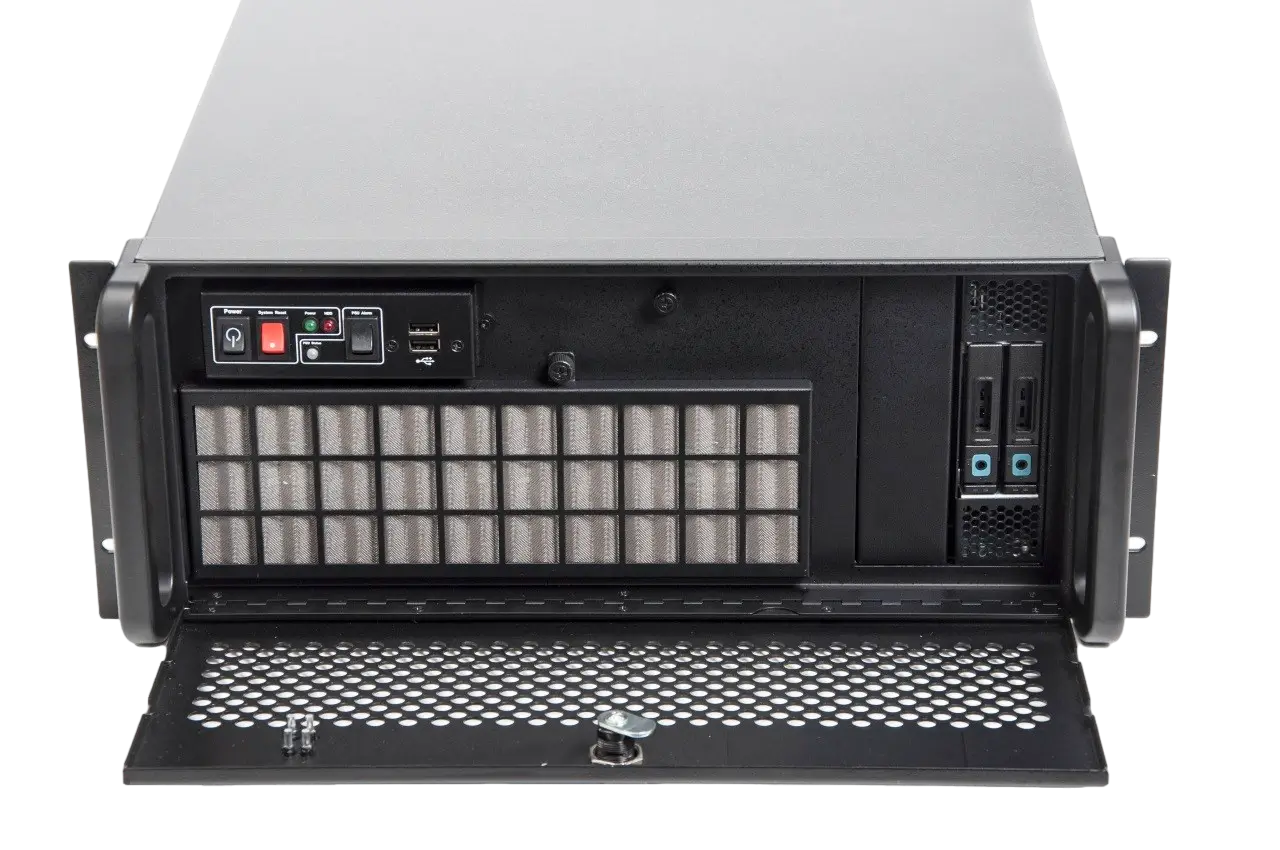
XtremeIPC-VSN-Expansion System
- 9 or 11 Slot Expansion Chassis
- Express9-G3 PCIe backplane providing 1 x 8 lane slot and 8 x 4 lane slots
- SOFTWARE & UTILITY
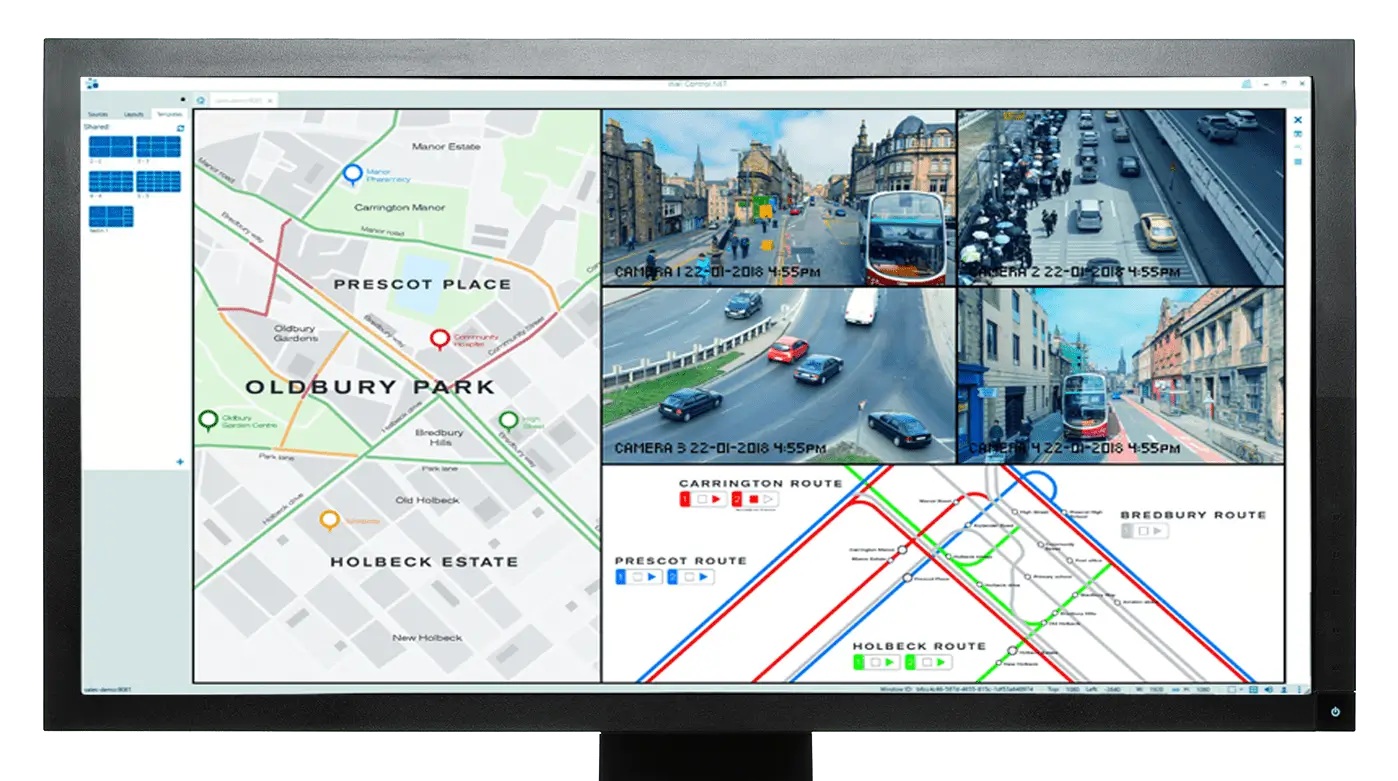
Vigi Control - Wall Management
- Easily control output sources such as IP feeds, video captures and local applications
- Create templates and produce zones on your video wall for easy placement of content.
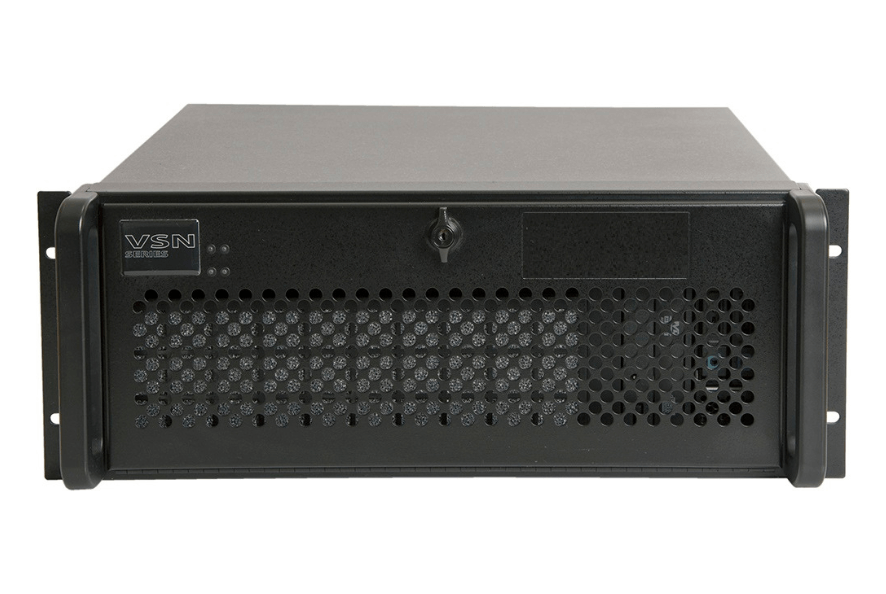
XtremeIPC-VSN-11 Series
XtremeIPC-VSN 11 Series Designed for environments that demand high performance and reliability the VSN 11 series systems have been redesigned to provide users more memory, the latest processors and enhanced performance. With improved design the systems run cooler and quieter than the previous models.
XtremeIPC-VSN11 now with improved design the systems run cooler and quieter than the previous models.
Description
Advanced Graphics Display Technology
EMS’s 11 slot video wall controllers for environments that demand high performance and reliability.
The VSN 11 Series systems provide solutions for mission control rooms, military installations, logistic operations, security suites and many other command and control applications.
The VSN range has been developed to support, Image graphics and decoding cards. This allows physical and IP video sources to be displayed medium and large-scale video walls.
Operators have the freedom to see any source on or multiple screen layouts.
Each system in the range of 2nd generation VSNs is only available with Windows 10 to ensure the highest performance available.
Faster Processing. Advanced Cooling
The VSN range of industrial PCs 11 slot PCIe backplane. The switched fabric technology provides high bandwidth Gen3 PCIe slots.
Each slot is capable of delivering high resolution bandwidth from a range of capture cards to multiple outputs.
The VSN range is highly customisable. The systems contain either 7th generation Intel® Corei7, E3 Xeon or dual E5 Xeon processors (see Specification tab).
Systems are available with either 240GB or 480GB SSD drives and up to 128GB of memory.
In order to maximise airflow, the 4U chassis has been custom designed to allow more air into the system. This keeps temperatures low and reduces fan noise.
Ultra-Reliable
VSN video wall controllers have been designed for use in demanding control room environments.
Each component has been rigorously tested to ensure high levels of performance and reliability.
For added peace of mind, systems can be pre-installed with Wall Monitor software.
Wall Monitor is an application that warns operators if a system begins to function outside of normal parameters.
Alarms can be set to indicate changes in voltage and temperature.
This allows users to closely monitor system temperatures and be alerted should a system temperature critical levels.
The ability to create custom alerts means users can ensure operational system temperatures in a variety of environments.
Fully Featured VigiControl 10
The EMS VSN 11 Series is compatible with EMS’s VigiControl 10 software. VigiControl 10 allows users to quickly and easily place video sources anywhere on the video wall.
Common arrangements can be saved as layouts for recall at any time and any section of the wall can contain “carousels” of videos playing one after the other at definable intervals.
Administrators of VigiControl 10 are able to configure a single system to drive multiple walls. Each of these walls can be assigned a number of user roles, and each user role can
allow different access to sources, local videos, layouts and templates. *
Now With DDCT
All of EMS’s award-winning video wall controllers are now supplied with the Display Driver Configuration Tool (DCCT) software pre-installed.
The wizard allows users to easily configure video walls and get started in minutes
Extra Protection With Spares Kits And Extended Warranty Services
For additional security and peace of mind, our customers are invited to take advantage of EMS’s spares kits and extended warranty.
For a small premium, selected products can be protected by our spares kits and optional 5 year warranty. For more information please contact our sales team.
COMPATIBILITY
The EMS VSN 9 and 11 series wall controllers are compatible with Windows 10 LTSC operating system2
MODELS AVAILABLE
Order Code: VSN972-ATX
Order Code: VSN972-RPSU
Order Code: VSN982-RPSU
Order Code: VSN1172-RPSU
Order Code: VSN1182-RPSU
Order Code: VSN1192-RPSU
Upgrade options are shown in the below table.
Want to design your own configuration then go to custom system configurator or Contact us
Specifications
Accessories
Related products
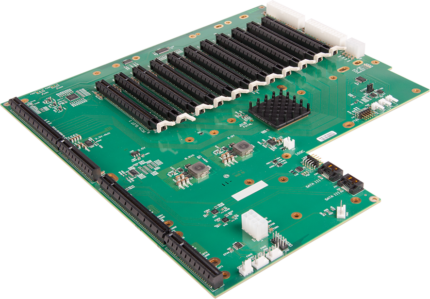
Express11 PCIe 11-Slot Backplane
Express11-G3 Backplane
- 11 slot, Gen.3 PCI Express backplane
- Once PICMG 1.3 SBC slot
- Standard ATX form factor
- Support for multiple backplanes for large systems
- Supports 8 GB/s full duplex links
- 96 lanes PCI Express 3.0 switch
- Support for two SATA connections
- Provides headers for (1, 2 or 3) fans
The backplane provides x8 lane PCI Express slots, all implemented as x16 physical connectors. For high density and high performance display controller systems. The backplane can be used with a standard PICMG 1.3 SBC as a stand alone system or in combination with multiple backplanes to provide a PCI Express expansion system for a standard PC.
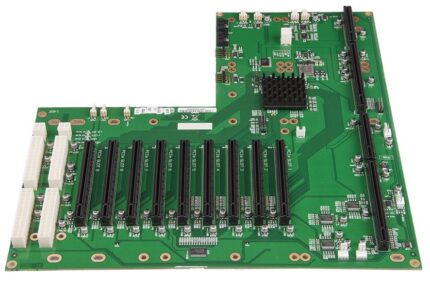
PCIe-Express9 – Backplane 9-Slot
Express9-G3, 9-Slot PCIe Backplane
The backplane provides x8 lane PCI Express slots, all implemented as x16 physical connectors. For high density and high performance display controller systems. The backplane can be used with a standard PICMG 1.3 SBC as a stand alone system or in combination with multiple backplanes to provide a PCI Express expansion system for a standard PC.
- Nine slot PCI Express backplane – 8 x4 lane slots plus 1 x8 lane slot
- One PICMG 1.3 SBC slot
- Supports 8GB/s full duplex links between backplanes using HLink-G3 and SLink-G3
- 48 lane PCIe 3.0 switch
- Compatible with a standard 4U IPC chassis
- Support for daisy chaining multiple backplanes
The backplane provides x8 lane PCI Express slots, all implemented as x16 physical connectors. For high density and high performance display controller systems. The backplane can be used with a standard PICMG 1.3 SBC as a stand alone system or in combination with multiple backplanes to provide a PCI Express expansion system for a standard PC.
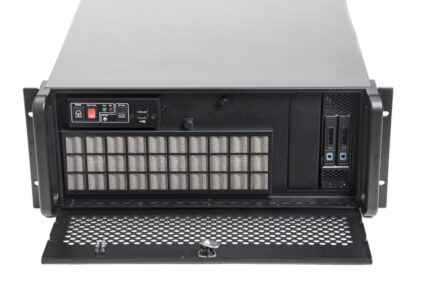
XtremeIPC-VSN-9 Series
VSN 9 Series Designed for environments that demand high performance and reliability the VSN 9 series systems have been redesigned to provide users more memory, the latest processors and enhanced performance.
XtremeIPC-VSN9 - Now with improved design the systems run cooler and quieter than the previous models.
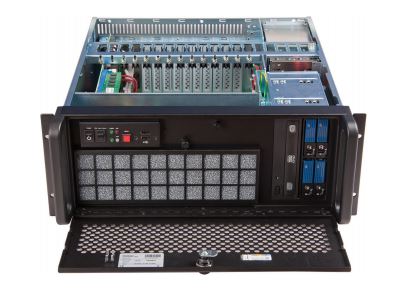
XtremeIPC-VSN-Expansion System
VSN PCIe Expansion System
- 9 or 11 Slot Expansion Chassis
- Express9-G3 PCIe backplane providing 1 x 8 lane slot and 8 x 4 lane slots
Large scale video wall projects often require more resources than are available from a single motherboard or backplane, as more video capture channels are added or video wall sizes increase VSN 9 and 11 Series systems can be expanded using this chassis.