
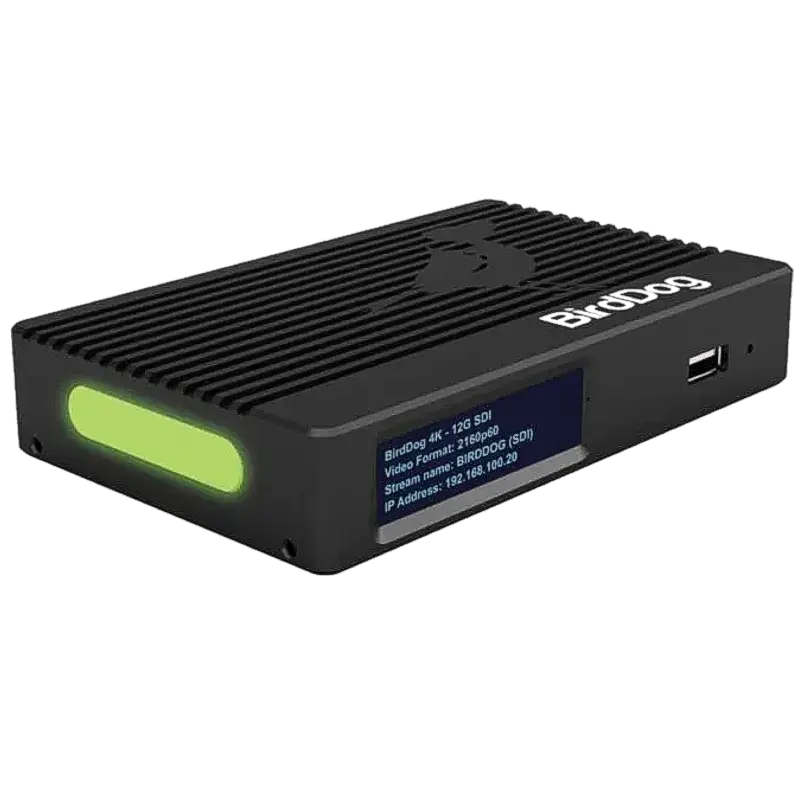
BirdDog 4K SDI
Convert any 4K60 12G-SDI broadcast camera to Full NDI with simultaneous HDMI and 12G-SDI loop outputs. SFP+ 10GbE, built-in cross converter, tally, audio intercom, PoE+.
- 12G-SDI input at 4K60 — accepts SD-SDI, HD-SDI, 3G-SDI, 6G-SDI and 12G-SDI from any broadcast camera, covering the full range of professional SDI standards
- Full NDI encoding to the highest NDI standard — functionally lossless, approximately one frame latency, the correct choice for live broadcast production switching and colour-critical monitoring
- Simultaneous HDMI 2.0 and 12G-SDI loop outputs — feed existing monitors and SDI routing infrastructure at the camera position while simultaneously encoding to Full NDI
- SFP+ port for 10GbE — connect to 10 Gigabit Ethernet switches via copper DAC or optical SFP+ modules for Full NDI bandwidth over large production networks
- Built-in cross converter — convert between SDI and HDMI signal formats in the loop output path without additional conversion hardware
- Tally, audio intercom and PoE+ — complete broadcast camera position interface over a single Ethernet cable
What is the BirdDog 4K SDI?
The BirdDog 4K SDI is the SDI-input counterpart to the 4K HDMI — a Full NDI encoder for broadcast SDI cameras. Where the 4K HDMI accepts HDMI 2.0 from consumer and prosumer cameras, the 4K SDI accepts 12G-SDI from professional broadcast cameras and encodes their output to Full NDI for distribution over a Gigabit or 10GbE production network.
Broadcast studios deploying an NDI infrastructure alongside existing SDI cameras can use the 4K SDI to bring each camera onto the NDI network without replacing the cameras themselves. The existing SDI infrastructure — monitors, routing, recording — remains connected via the loop outputs, while the NDI signal provides the production network feed for vMix, OBS, Wirecast or Magewell Director-based multi-camera production.
SDI auto-detection
The 4K SDI automatically detects the incoming SDI format — SD-SDI, HD-SDI, 3G-SDI, 6G-SDI or 12G-SDI — without manual configuration. Connect any SDI camera and the unit locks on to the format automatically, encoding to Full NDI at the detected resolution and frame rate. The cross converter in the loop output path can simultaneously output HDMI at a different format from the SDI input if required.
The 4K SDI and 4K HDMI in the same facility
In a mixed camera environment — broadcast SDI cameras and consumer HDMI cameras in the same studio — the 4K SDI and 4K HDMI can be deployed together. All cameras appear as Full NDI sources on the same network regardless of their physical input format, giving the production software a uniform NDI input list without signal format differences.
| Video Input | |
| SDI Input | 12G-SDI (BNC) — SD/HD/3G/6G/12G-SDI auto-detected |
| Max Input Resolution | 4K Ultra HD at 60fps (4K60 via 12G-SDI) |
| Loop Outputs | |
| HDMI 2.0 Loop Out | HDMI 2.0 (Type A) — simultaneous |
| 12G-SDI Loop Out | BNC 12G-SDI — simultaneous |
| Cross Converter | Built-in — format conversion between SDI and HDMI |
| NDI Output | |
| NDI Standard | Full NDI — functionally lossless |
| Max NDI Resolution | 4K Ultra HD at 60fps |
| Network | |
| Ethernet | 1× Gigabit Ethernet (RJ-45) |
| SFP+ | 1× SFP+ — 10GbE copper or optical |
| Broadcast Features | |
| Tally | Built-in |
| Audio Intercom | Built-in two-way over Ethernet |
| OLED Display | Front-panel status display |
| Power | PoE+ (IEEE 802.3at) |
| Housing | Aircraft-grade aluminium |
| Product Information | |
| SKU / Model | BD-4K-SDI |
| Warranty | 2-year BirdDog warranty |
| Pricing | Price on Application — contact us for a quote |
Specifications correct at time of publication. Contact us to confirm before specification.
The 4K SDI converts broadcast SDI cameras to Full NDI for professional production networks, maintaining the existing SDI infrastructure via simultaneous loop outputs.
Broadcast SDI Camera NDI Migration
Add existing SDI broadcast cameras to an NDI production network without removing or replacing them. Each camera's 12G-SDI output is encoded to Full NDI while the SDI signal continues to feed existing monitors and routing.
Broadcast Studio Production
Full NDI studio production with SDI broadcast cameras — vMix or Magewell Director receive all cameras as Full NDI sources for live multi-camera switching with one-frame latency.
Stadium and Large Venue
SDI cameras at fixed venue positions encoded to Full NDI for central production control. The SFP+ connection handles Full NDI bandwidth requirements over the venue's 10GbE backbone.
Sports Production
4K 12G-SDI cameras at pitchside, gantry and podium positions encoded to Full NDI with simultaneous 12G-SDI loop feeding local camera monitors and video recording systems.
Broadcast Education
Teaching studios with existing SDI cameras deploying NDI infrastructure alongside the SDI equipment — students learn production workflows without equipment replacement costs.
Broadcast System Integration
Specified for NDI facility designs deploying Full NDI alongside existing SDI infrastructure — the loop outputs allow co-existence with SDI routing, monitoring and recording systems.
What is the difference between the 4K SDI and the 4K HDMI?
The only difference is the input connection. The 4K SDI accepts 12G-SDI from broadcast cameras. The 4K HDMI accepts HDMI 2.0 from consumer and prosumer cameras. Both provide simultaneous HDMI and SDI loop outputs, Full NDI encoding, SFP+, tally and intercom. In a mixed camera environment, both can be deployed on the same network.
Does the 4K SDI auto-detect the SDI signal format?
Yes. The unit automatically detects SD-SDI, HD-SDI, 3G-SDI, 6G-SDI and 12G-SDI without manual format selection.
All BirdDog devices output Full NDI — the highest quality NDI standard — making them immediately compatible with any NDI-capable production software on the local network.
NDI Production SoftwareBirdDog devices output Full NDI and are discovered automatically by all NDI-capable production software on the same Gigabit network subnet via mDNS. No manual IP configuration required.
Video Conferencing (via NDI plugin)Contact us to confirm compatibility with a specific platform or version not listed above.