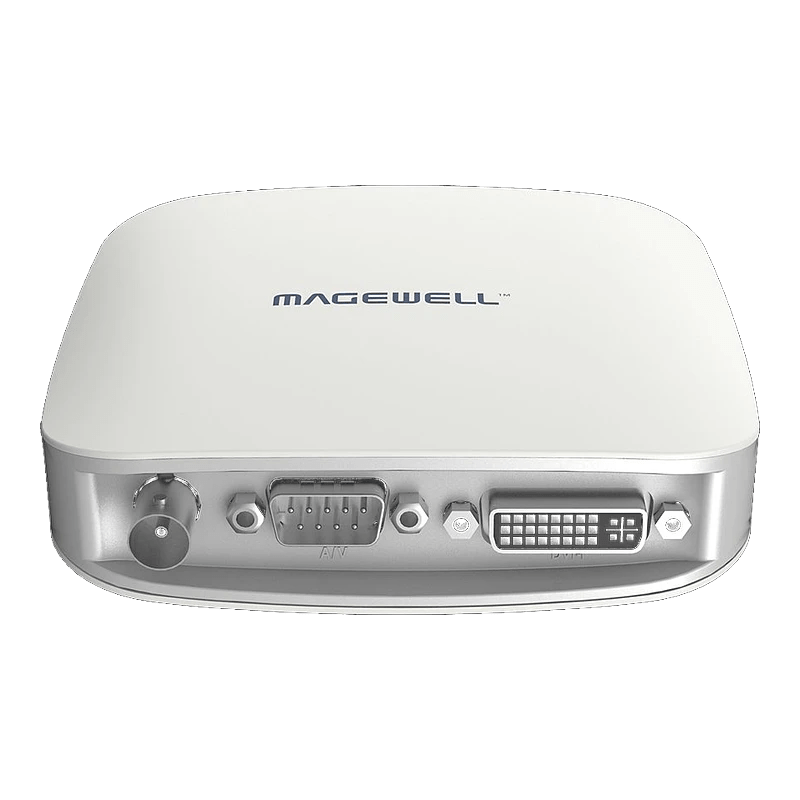
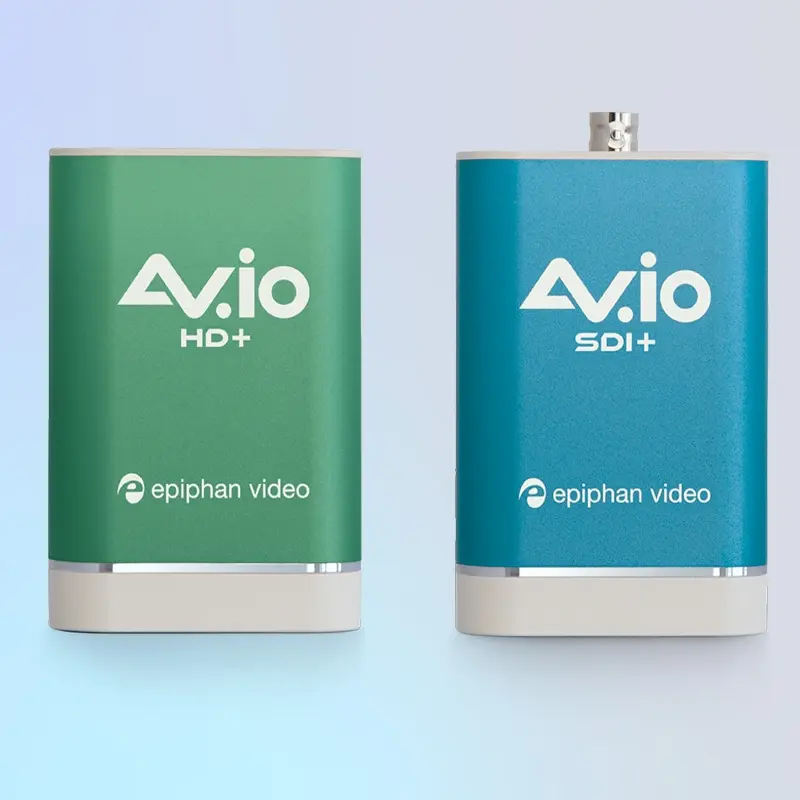
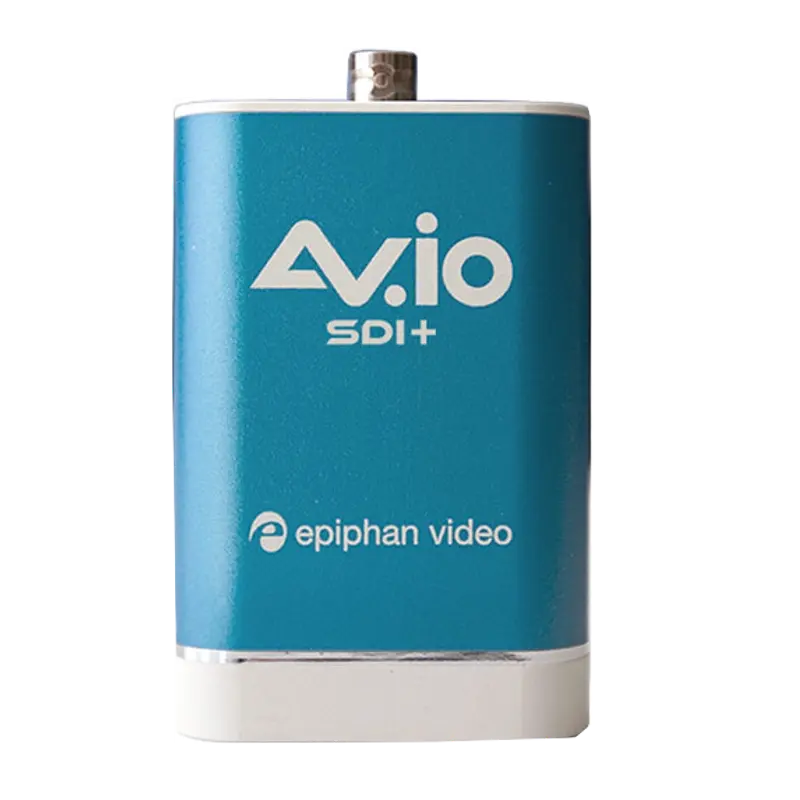
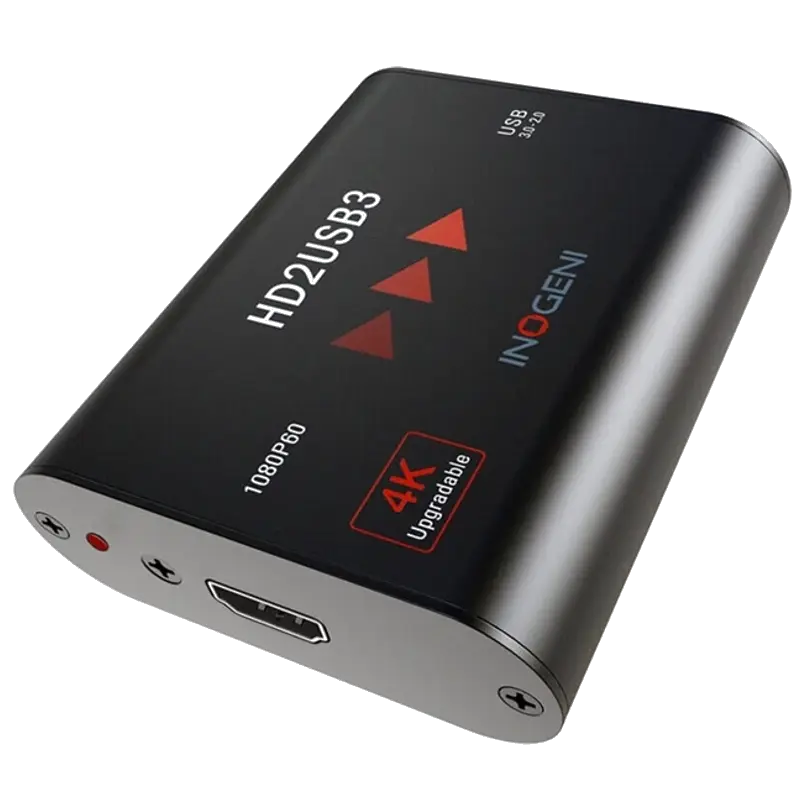
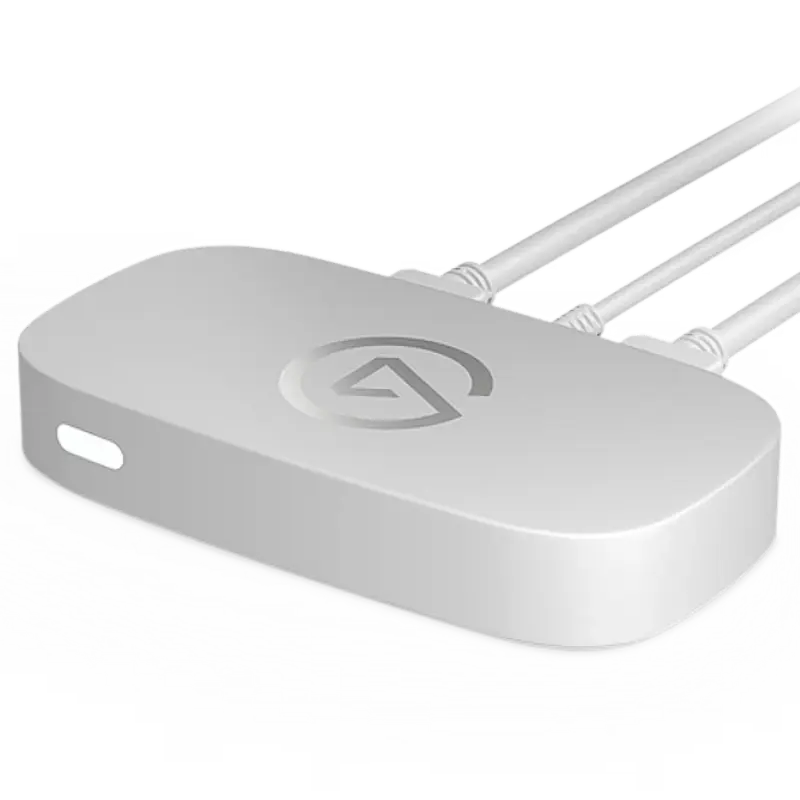
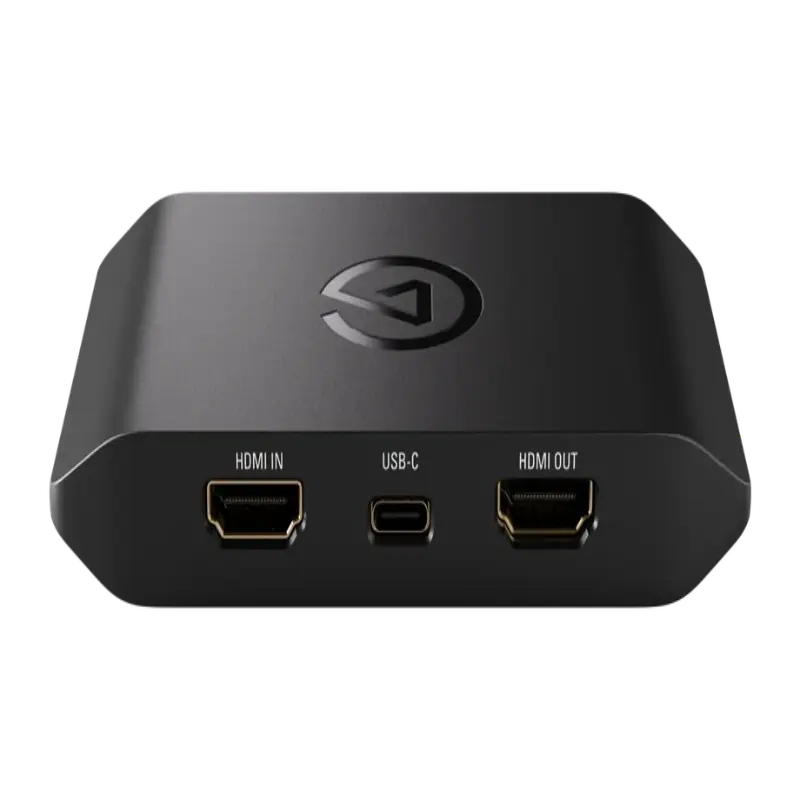
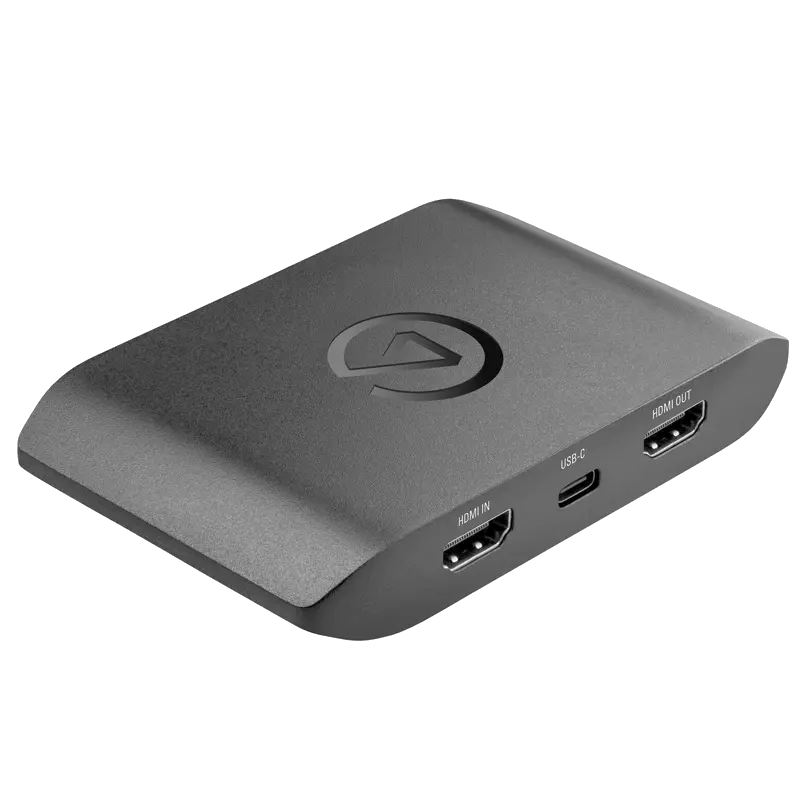
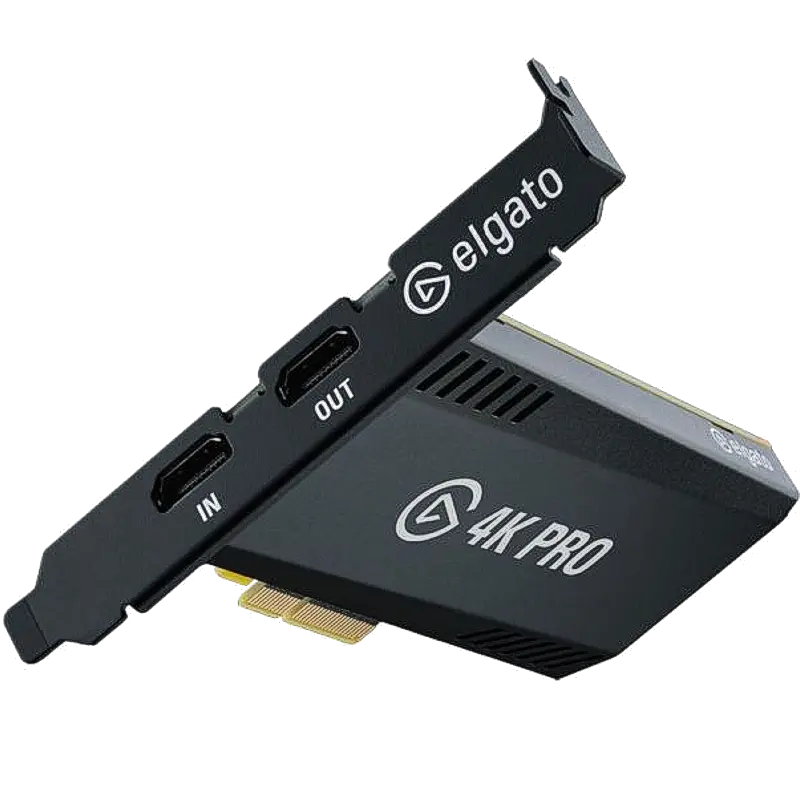
Every USB capture device (external dongle — bus-powered, no PCIe slot, no installation) we stock compared side-by-side — Magewell, Epiphan, Inogeni and Elgato. Full specification tables, protocol support matrices, platform and software compatibility grids, SVG signal flow diagrams, product deep-dives and expert verdicts for every use case.
17 products4 brandsUVC · HDMI · SDI · DVI · VGAFrom £231 ex-VATLast updated June 2026
The most widely deployed professional USB capture device in broadcast, education and healthcare. UVC driverless, rock-solid across OS updates. £231 ex-VAT.
A USB capture device converts an HDMI, SDI, DVI, VGA or composite video signal into a USB video stream that your computer recognises as a standard webcam or capture device. This means any application that can select a camera — OBS, Zoom, Teams, Panopto, Streamlabs, DaVinci Resolve — can use a professional camera, broadcast source, gaming console or medical imaging system without any specialist software or drivers.
Fig 1. Basic USB capture device signal chain — source to destination. No drivers needed; the capture card appears as a standard webcam in all software.
Fig 2. Loop-through setup. The Magewell USB Capture HDMI Plus passes the signal directly to the room display with zero latency while simultaneously feeding the PC for recording or streaming. No HDMI splitter required.
Full Specification Comparison
All 17 USB capture devices — scroll right on smaller screens · ✓ = yes · — = no / N/A
† Latency figures are approximate processing latencies from source to capture card USB output at 1080p60. Network/encoding latency is additional. · Elgato 4K Pro (PCIe) is covered in the PCIe Capture Cards comparison.
Signal Format Guide — Match Your Source to the Right Card
Not all cards accept the same inputs. Identify what your source outputs, then use the guide below to find the cards that support it.
HDMI 1.4
Supports up to 1080p60 or 4K30. Most cameras, laptops and presentations. The most common input type.
Input
HDMI 2.0
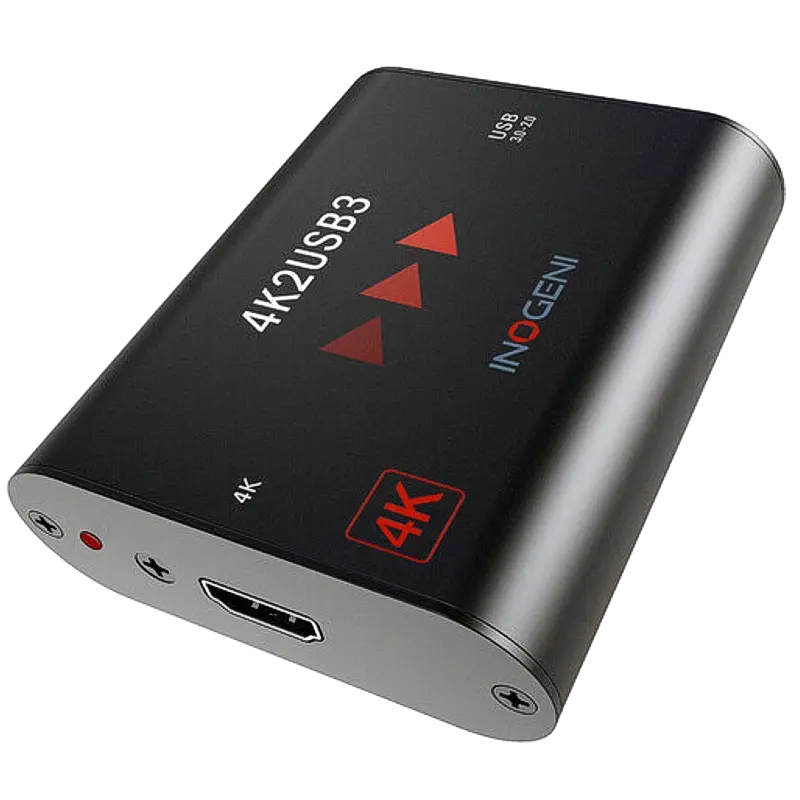
Supports 4K60. Required for 4K cameras, gaming consoles (PS5, Xbox Series X) at 4K. Cards: Magewell 4K Plus/Pro, Inogeni 4K2USB3/4KXUSB3/BYOM, Elgato 4K S/X.
Input
HDMI 2.1
Supports 4K120fps VRR HDR passthrough. Only the Elgato 4K X has an HDMI 2.1 passthrough output — essential for PS5/Xbox Series X gaming at 4K120fps.
Passthrough
3G-SDI
Broadcast standard. Supports HD up to 1080p60 over BNC coaxial cable. Used in broadcast cameras, endoscopes, medical imaging and legacy studio equipment.
Input
DVI-D / DVI-I
Older digital display standard. Common on legacy medical imaging systems, older computers and presentation systems. Magewell USB Capture DVI Plus accepts DVI-I (analogue + digital) and DVI-D.
Input
VGA
Analogue video (15-pin D-Sub). Still common in older lecture theatres and conferencing rooms. Epiphan AV.io HD Plus accepts VGA directly; others require a VGA-to-HDMI converter.
Input
Composite (CVBS)
Analogue standard definition via RCA or BNC. Legacy cameras, VCRs and analogue medical equipment. Only the Magewell USB Capture AIO accepts composite alongside HDMI and SDI.
Input
UVC
USB Video Class — the standard that makes the card appear as a plug-and-play webcam in any application without drivers. All cards in this comparison are UVC compliant.
Output protocol
DirectShow
Windows capture API. All UVC cards automatically register as DirectShow sources — compatible with OBS, vMix, Wirecast, Adobe Premiere and all Windows video software.
Windows
V4L2
Video4Linux2 — Linux kernel capture interface. Magewell USB Capture cards are V4L2 compatible out of the box. Epiphan AV.io also supports V4L2. Essential for Linux-based lecture capture servers.
Linux
Core Media / AVFoundation
macOS capture framework. All UVC cards work as cameras in macOS applications via AVFoundation — including OBS (macOS), Zoom, Teams, Streamlabs and EcammLive without any driver.
macOS
NDI (Input)
Network Device Interface — IP video protocol. Only the Magewell USB Fusion accepts NDI as a video input source (along with HDMI and SDI). Other USB capture devices do not receive NDI; use Magewell Pro Convert IP to USB for that function.
Magewell USB Fusion only
⚠️ HDCP blocks capture from consumer sources: PS5 (default), streaming sticks (Apple TV, Fire TV, Chromecast, Sky Q) and Blu-ray players output HDCP copy protection. Capture cards cannot capture HDCP-protected signals — this is a legal requirement, not a defect. Cameras, computers, medical imaging equipment, presentation switchers and AV matrices do not output HDCP. On PS5: Settings → System → HDMI → Enable HDCP → Off.
Platform & Service Compatibility
Because all cards in this comparison are UVC compliant, they work with every platform listed below — UVC cards appear as standard webcams in any software or service that can select a camera.
Streaming & Video Platforms
YouTube✓ All cards
Twitch✓ All cards
Facebook✓ All cards
TikTok✓ All cards
LinkedIn✓ All cards
Instagram✓ All cards
Kick✓ All cards
Vimeo✓ All cards
Video Conferencing & Collaboration
Zoom✓ UVC
Teams✓ UVC
Google Meet✓ UVC
Webex✓ UVC
Panopto✓ UVC
Kaltura✓ UVC
Echo360✓ UVC
BlueJeans✓ UVC
💡 Why every card works everywhere: UVC (USB Video Class) is an open standard built into every modern operating system since Windows 7, macOS 10.4 and Linux 2.6. When you plug in a UVC capture card, the OS automatically installs a generic UVC driver. Any application that can select a webcam will then see and use the card — Zoom, Teams, OBS, Panopto, Kaltura, DaVinci Resolve, Adobe Premiere — all without any manufacturer software or manual driver installation.
Software Compatibility
All UVC capture cards in this comparison work with every software application listed. Cards also appear as DirectShow (Windows), V4L2 (Linux) and AVFoundation (macOS) devices for deeper integration.
Streaming & Production Software
OBS StudioFree
StreamlabsFree/Paid
vMixPaid
WirecastPaid
XSplitFree/Paid
Elgato 4K CUFree
Video Editing & Post-Production
DaVinci ResolveFree/Paid
Adobe PremierePaid
Final Cut ProPaid (Mac)
Avid Media CompPaid
Vegas ProPaid
KdenliveFree
Typical Setup Diagrams by Use Case
Three common configurations showing how USB capture devices integrate into real-world setups.
Fig 3. Three typical USB capture device setups: lecture capture (two cards — camera + slides), gaming stream (Elgato 4K X with 4K120fps passthrough to TV), and BYOM conference room (single USB-C cable for visitor's meeting).
Product Deep-Dives
Every product with key specifications, ideal use cases and direct links.
Magewell — Professional broadcast-grade USB capture
Magewell
USB Capture HDMI Gen 2
£231 ex-VAT
InputHDMI 1.4
Max res.1080p60
Loop-outNone
4K captureNo
UVCYes
Ideal for: Broadcast, lecture capture, OR recording, conference rooms, OBS facecam. The most widely deployed professional USB capture device in NHS hospitals and UK universities.
Ideal for: Lecture theatres (projector must stay live while capturing slides), OR monitoring, conference rooms where the room display must remain active.
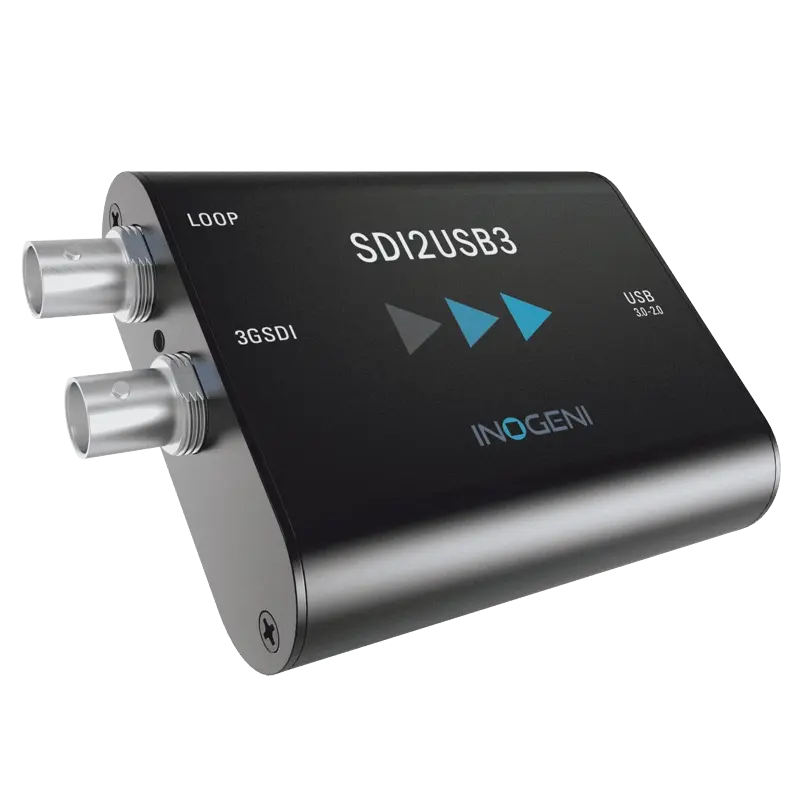
Ideal for: Broadcast SDI cameras in Zoom, Teams and OBS. When you need to keep the SDI signal live to a production monitor while also feeding a conferencing platform.
Ideal for: Legacy endoscopy towers, C-arms, older medical imaging systems and presentation systems with DVI output. DVI-to-HDMI adapter included for HDMI sources.
Ideal for: Mixed-format clinical estates, legacy analogue camera integration, venues with a variety of signal types that all need to go to one capture PC.
Ideal for: Highest-spec Magewell 4K USB card. Enhanced colour processing pipeline for colour-critical applications such as pathology, ophthalmology and high-end production.
Ideal for: Presenter + slides composited into one Teams/Zoom window. Two sources mixed into one USB webcam output without needing OBS. Advanced content creator setups.
Ideal for: Universities and enterprises requiring VGA capture alongside HDMI/DVI. Field-upgradeable firmware means long-term investment protection. Used widely in UK higher education.
Ideal for: Broadcast SDI cameras into OBS, Teams or conferencing software. Broadcast-grade quality for production environments that need SDI-to-USB without SDI loop-through.
Ideal for: Permanent conference room and lecture capture installations where long-term reliability with minimal IT support is critical. 5-year warranty the longest in this comparison.
Ideal for: 4K HDMI capture for conference rooms and permanent installs. 4K at 30fps is ideal for presentation capture where motion is not critical but clarity of text and slides is.
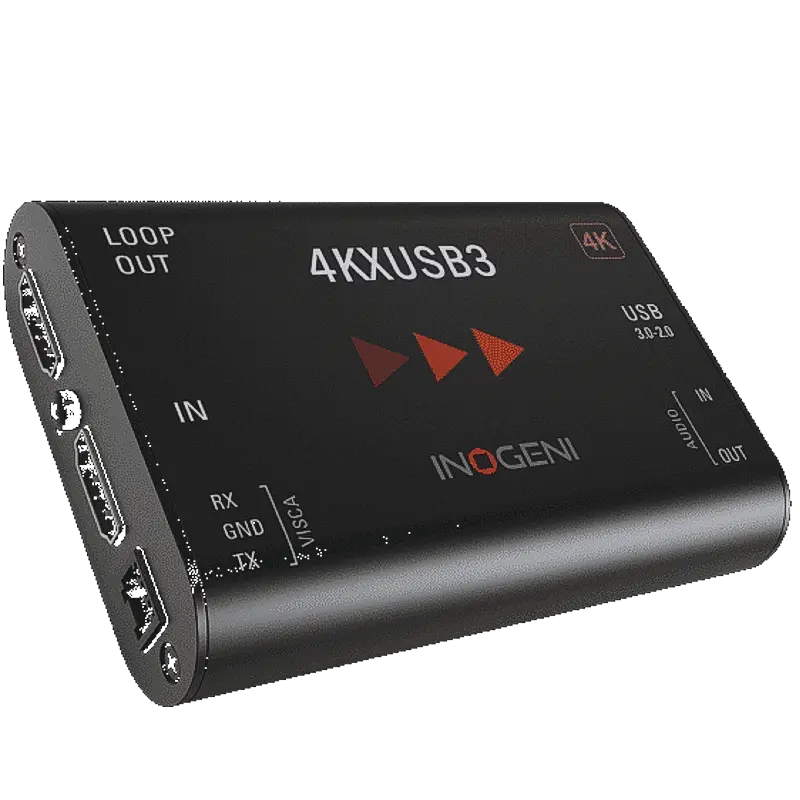
Ideal for: Conference rooms and lecture theatres with PTZ cameras. VISCA control port relays pan/tilt/zoom commands from the PC over USB to the camera — one cable does capture AND PTZ control.
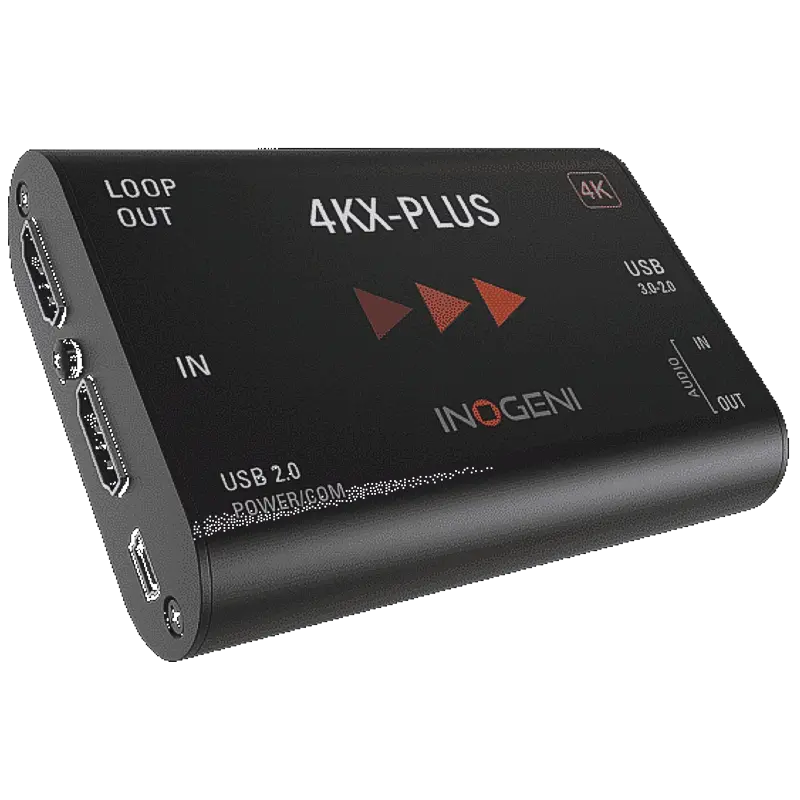
Ideal for: BYOM conference rooms. Certified for Zoom Rooms, Microsoft Teams Rooms and Cisco Webex. Visitor plugs one USB-C cable — instantly uses the room camera in their meeting.
Ideal for: Broadcast SDI cameras into Zoom, Teams and OBS with SDI loop-through for production monitor. 5-year warranty for permanent broadcast infrastructure.
Ideal for: Entry-level gaming capture for PS5, Xbox, Switch and PC. Excellent 1080p60 capture quality with 4K30 passthrough to TV. Best starting point for new streamers.
Ideal for: 4K60 capture for consoles and PC. 4K60 HDR passthrough. For streamers wanting to archive at full 4K or produce 4K YouTube content from console gameplay.
Ideal for: Best gaming capture card for PS5 and Xbox Series X. Play at full 4K120fps VRR HDR on your TV via passthrough while streaming/recording 4K60 simultaneously. No other USB card offers HDMI 2.1 passthrough.
Ideal for: Dual-PC streaming rig (PCIe in the streaming PC). Lower latency and more stable than USB for permanent desk installations. Covered in full in the PCIe Capture Cards comparison.
Quick recommendations — matched to the most common deployment scenarios.
🎓
University lecture capture
Magewell USB Capture HDMI Gen 2 + HDMI Plus
Gen 2 for the camera; HDMI Plus for slides with projector loop-through. Both UVC — survive Windows updates in unattended NUC PCs. Proven in Panopto, Kaltura and Echo360.
🏥
Surgical / medical imaging
Magewell USB Capture HDMI Gen 2 or HDMI Plus
No HDCP on medical imaging systems. Gen 2 for direct capture; HDMI Plus when the surgical monitor must stay live. Magewell's 3-year warranty and driver stability suit NHS procurement.
🏢
Conference room (BYOM)
Inogeni 4KX-PLUS BYOM
The only USB capture device certified for BYOM in Zoom Rooms, Teams Rooms and Webex Rooms. Single USB-C cable — visitor's laptop uses the room camera instantly without any configuration.
📡
PTZ camera control
Inogeni 4KXUSB3 + VISCA
VISCA RS-232 port on the capture card relays PTZ commands via USB. Pan, tilt and zoom the camera from the same USB connection used for video — no separate serial cable.
🎮
PS5 / Xbox Series X gaming
Elgato Game Capture 4K X
Only USB card with HDMI 2.1 passthrough for 4K120fps VRR HDR to TV while capturing 4K60 for the stream. Remember to disable HDCP on PS5 first.
📷
DSLR / mirrorless facecam
Magewell USB Capture HDMI Gen 2
Professional reliability, immediate UVC recognition, lowest latency in the Magewell range. Enable clean HDMI on the camera (removes overlays). Works in every conferencing and streaming application.
📡
SDI broadcast cameras
Magewell USB Capture SDI Plus or Inogeni SDI2USB3
Both UVC, both support 3G-SDI at 1080p60, both have SDI loop-through. Magewell: 3yr warranty, Linux V4L2 support. Inogeni: 5yr warranty. Choose based on warranty priority.
🔬
Legacy DVI or VGA sources
Magewell USB Capture DVI Plus or Epiphan AV.io HD Plus
DVI Plus: DVI-I input with loop-through, 1920×1200 max. AV.io HD Plus: accepts HDMI, DVI and VGA from one device — the most versatile for mixed-format legacy estates.
🏥
Mixed signals (HDMI + SDI + analogue)
Magewell USB Capture AIO
The only single USB device that accepts HDMI, 3G-SDI and composite analogue simultaneously. Ideal for estates with a mix of modern and legacy equipment.
🎬
Multi-source compositor
Magewell USB Fusion
Accepts HDMI, SDI, NDI and USB sources — composites two of them into a single USB webcam output. Presenter + slides in one Teams window without running OBS separately.
Frequently Asked Questions
Common questions from buyers and specifiers.
What is a USB capture device?
A USB capture device converts HDMI, SDI, DVI, VGA or composite video from a camera, console, medical device or presentation source into a USB stream that any computer recognises as a standard webcam. No specialist software or drivers required — they work immediately in OBS, Zoom, Teams, Panopto, DaVinci Resolve and any other application that can select a camera input.
What does UVC driverless mean?
UVC (USB Video Class) is a standardised protocol built into every modern operating system. When a UVC-compliant capture card is plugged in, the OS installs a generic UVC driver automatically — no manufacturer software needed. The card immediately appears as a camera in all applications. Critically for enterprise IT, UVC cards continue working after Windows updates without requiring driver reinstallation, making them far more reliable than proprietary-driver cards in unattended deployments.
What is loop-through and why do I need it?
Loop-through is a second video output that passes the original signal to a monitor or projector while simultaneously capturing it to the PC. Without loop-through, connecting a camera to a capture card means the room display loses its signal. With loop-through (Magewell USB Capture HDMI Plus, SDI Plus, DVI Plus, 4K Plus; Inogeni 4KXUSB3 and BYOM; Elgato Neo, 4K S, 4K X, 4K Pro) the full-quality feed goes to the display as normal and a capture copy goes to OBS, Panopto or your conferencing software.
Why is there a black screen when I capture my PS5?
The PS5 has HDCP (copy protection) enabled by default. Disable it: Settings → System → HDMI → Enable HDCP → Off. Restart the PS5. With HDCP off, Blu-ray disc playback and some streaming apps will be blocked — re-enable when needed. Xbox Series X and Nintendo Switch do not need any HDCP changes for game capture.
What is the difference between HDMI 1.4 and HDMI 2.0 on a USB capture device?
HDMI 1.4 supports up to 1080p60 or 4K30. HDMI 2.0 supports 4K60 — essential for 4K cameras and gaming consoles. Cards with HDMI 2.0 inputs: Magewell USB Capture HDMI 4K Plus and Pro, Inogeni 4K2USB3/4KXUSB3/BYOM, Elgato 4K S and 4K X. The Elgato 4K X uniquely has HDMI 2.1 passthrough output — supporting 4K120fps VRR HDR to the connected TV while capturing at 4K60.
How many USB capture devices can I use simultaneously?
2–3 cards at 1080p60 is the reliable limit on most laptops and desktops sharing a single USB controller (approximately 5 Gbps for USB 3.0). Each 1080p60 card uses around 400–750 Mbps. Check Device Manager on Windows to confirm cards are on separate controllers for the best performance. 4K USB capture devices should be limited to one per USB controller. For higher channel counts, use PCIe capture cards instead.
What is BYOM?
BYOM (Bring Your Own Meeting) allows a visitor's laptop to use a room's installed camera, microphone and display via a single USB-C cable — without any room system login. The Inogeni 4KX-PLUS BYOM is certified for Zoom Rooms, Microsoft Teams Rooms and Cisco Webex Rooms. The visitor plugs in one cable and their Teams or Zoom call uses the professional room camera immediately.
What is VISCA PTZ control?
VISCA is the serial protocol for controlling PTZ (pan-tilt-zoom) cameras. The Inogeni 4KXUSB3 has a VISCA RS-232 port on the capture card — the PC sends PTZ commands via USB to the card, which relays them via VISCA to the camera. This means one USB cable from the capture card controls both video capture and camera movement, without a separate RS-232 serial connection from the PC to the camera.
Need help choosing?
Our technical team can advise on the right card for your specific camera, source signal and software combination — call or email for free pre-sales advice.
Disclaimer: Specifications, pricing and availability are correct to the best of our knowledge at the time of publication (June 2026) but are subject to change without notice. Magewell, Epiphan, Inogeni and Elgato may update product specifications, firmware and features at any time. Prices shown are exclusive of VAT. POA (Price on Application) items — contact us for current pricing. Latency figures are approximate and may vary depending on the host system, USB controller, operating system version and resolution/frame rate selected. Platform and software compatibility is based on UVC standard compliance; individual software updates may alter compatibility. The Elgato Game Capture 4K Pro uses PCIe (not USB) and is included here for reference — full details in the PCIe Capture Cards comparison. Reseller or third-party software licences (OBS, vMix, Wirecast, Adobe, DaVinci Resolve) are governed by their respective publishers' licence agreements. nuuo.co.uk is not responsible for third-party software compatibility changes. All trademarks are the property of their respective owners. nuuo.co.uk is a trading name of iView Data Ltd, Leicester, UK.