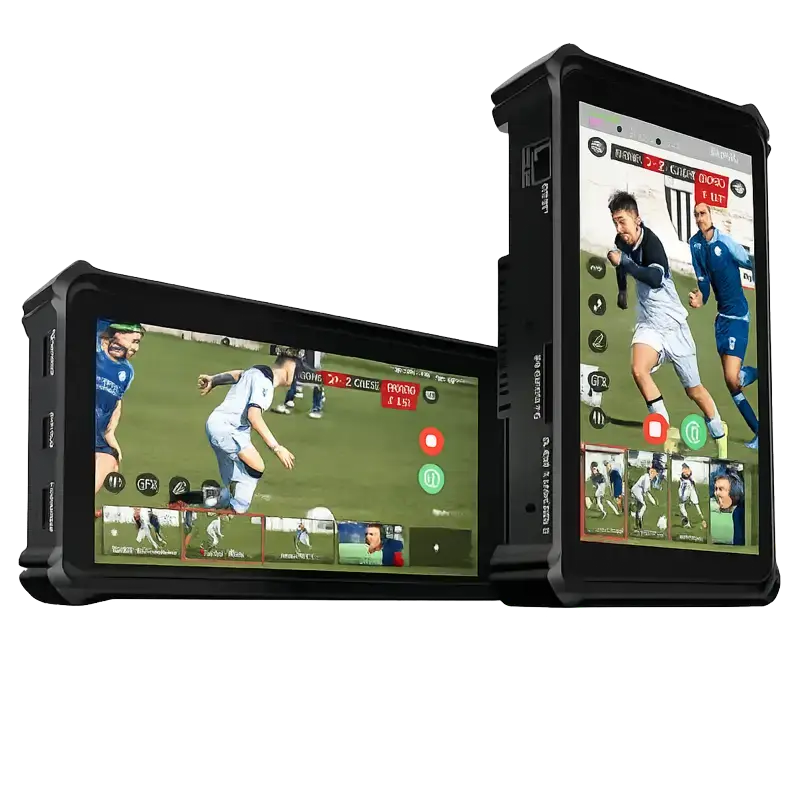
Magewell USB Fusion
Multi-source USB capture and blending — combine HDMI, USB camera, picture-in-picture and overlays into a single output stream.
- Combine multiple sources into one — blend HDMI input and a USB camera simultaneously into a single composited USB output stream
- Picture-in-picture layouts — position a USB camera feed over an HDMI presentation source to create a professional presenter-plus-slides composition
- Hardware chromakey — key out green screen or blue screen backgrounds in real time without GPU load on the host computer
- Animated lower-thirds, titles and overlays — add graphics and text directly in the device without depending on PC software overlay tools
- Audio mixing from multiple sources — mix HDMI audio and USB microphone audio within the device before delivering the combined stream
- All composition happens in the device hardware — delivers a single pre-composited UVC stream to the host, reducing PC load in demanding production environments
Beyond Capture — Composition in Hardware
The USB Fusion is fundamentally different from all other USB Capture devices. Where the rest of the range captures a single source and delivers it to software for processing, the USB Fusion accepts multiple inputs, composes them together in hardware, and delivers the finished composition to the host as a single UVC output stream.
This means complex workflows — presenter on camera over a presentation slide, green screen removal, animated lower-third graphics — are handled by the device itself before the stream ever reaches the PC. The host computer receives a clean, finished composition that any conferencing or streaming software simply sees as a webcam.
In practice, this eliminates the need for software-based video mixing tools for many common scenarios. A presenter using Zoom can appear over their slide deck without OBS, without virtual cameras, without graphics software — just the USB Fusion connected to their laptop.
Presenter and Content Together
The most common USB Fusion workflow is the presenter-plus-content composition: an HDMI input from a laptop or presentation computer provides the slide content, and a USB camera provides the presenter image. The USB Fusion places the presenter in a picture-in-picture window over the slides (or side-by-side, or any configured layout) and delivers this as a single webcam output.
This is how professional broadcast studios present news, how online educators present lectures, and how corporate communicators deliver engaging internal communications — camera and content combined without complex setups.
For simple single-source HDMI or SDI capture, see the USB Capture Gen 2 range. The USB Fusion is for those who need composition capability built into the capture hardware.
Compatible Software Guide ↗| Video Inputs | |
| HDMI Input | 1× HDMI (HDMI 1.4b) — up to 1080p60 — for presentation, graphics or video content |
| USB Camera Input | 1× USB camera input — for presenter or secondary video source |
| Simultaneous Inputs | Both inputs composited simultaneously in hardware |
| Composition Features | |
| Layouts | Picture-in-picture, side-by-side, fullscreen (any input), custom layouts |
| Chromakey | Hardware green screen / blue screen removal on USB camera input |
| Overlays | Animated lower-thirds, text titles and graphic overlays |
| Audio Mixing | Multi-source audio mixing from HDMI and USB audio sources |
| Video Capture Output | |
| USB Output | 1× USB 3.0 SuperSpeed — composited stream as UVC device |
| Max Output Resolution | 1920×1080 @ 60fps |
| Capture Standard | UVC — driverless — appears as webcam to any software |
| Configuration | |
| Control | Magewell USB Fusion application (Windows/macOS) or hardware controls |
| Presets | Multiple composition layouts saveable and recalled via software |
| Power & Connectivity | |
| Power Source | External power adapter (included) — not bus powered due to hardware processing requirements |
| Product Information | |
| SKU | 35060 |
| Warranty | 3 years |
| Price (ex-VAT) | £875.00 |
| Availability | In stock |
Specifications sourced from Magewell product documentation. Contact us to confirm suitability for your specific application.
The USB Fusion is designed for educators, presenters, content creators and corporate communicators who need professional composition — camera over content — without the complexity of software video mixing.
Online Education & eLearning
University lecturers, online course creators and corporate trainers can appear on camera simultaneously with their presentation slides — composited by the Fusion in hardware — delivering engaging video without requiring OBS or virtual camera software.
Corporate Video Communications
Internal communications managers creating CEO messages, product launches and all-hands recordings can produce professional picture-in-picture compositions directly from a laptop without dedicated production software or external switchers.
Video Podcast Production
Podcast hosts covering technical topics can show themselves on camera with graphics, data visualisations or interview clips as a background or inset — all composited in the Fusion without video production software running simultaneously.
Medical Education & Telemedicine
Medical educators demonstrating surgical techniques, diagnostic procedures or patient data can compose their camera with clinical images, medical diagrams or procedure footage for remote teaching and telemedicine consultations.
Webinars & Virtual Events
Webinar presenters can display a professional composed output — presenter in a lower corner over full-screen slides — in Zoom, Teams or GoTo without requiring any additional software beyond the platform itself.
Legal & Court Proceedings
Expert witnesses presenting technical evidence can compose their camera with diagrams, plans, evidence photographs or data charts for video court appearances, ensuring both the expert and the evidence are simultaneously visible.
Research Presentation & Data Visualisation
Research scientists presenting experimental data can compose their camera feed with live instrument output, data charts or laboratory footage for remote conference presentations and funding pitch recordings.
School Classroom Broadcasting
Teachers in hybrid or remote learning environments can combine their camera with whiteboard or screen content using the Fusion, presenting a professional classroom experience without complex IT setup.
Remote Live Broadcasting
Field reporters, remote correspondents and solo journalists can use the Fusion to compose camera and graphics content in hardware before contribution, producing broadcast-quality composited output from a laptop anywhere with connectivity.
Related Products
You may also be interested in