
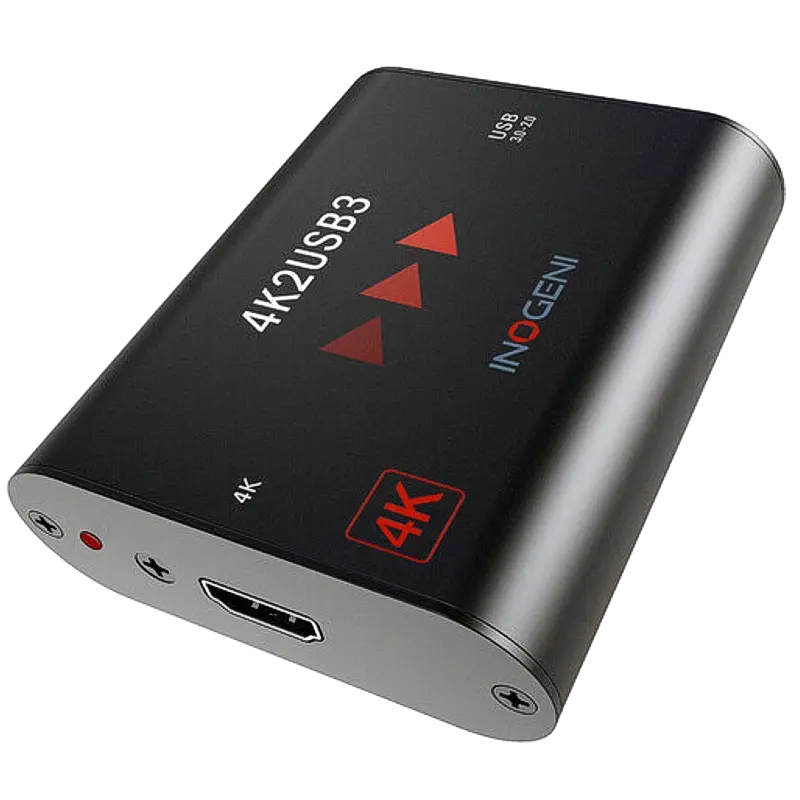
Inogeni 4K2USB3
Professional 4K HDMI to USB 3.0 capture. Up to 4K30 or 1080p60. Driverless UVC. The clean and simple Inogeni 4K capture device without PTZ control or loop-through.
- 4K HDMI capture at 4K30 or 1080p60 — the core Inogeni 4K capture device for workflows not requiring PTZ control, loop-through or BYOM
- Driverless UVC — recognised immediately on Windows, macOS and Linux without any software installation required
- Professional build quality — metal chassis designed for permanent AV installation rather than occasional desktop use
- Compatible with all major video conferencing, streaming and capture software as a standard UVC device
- Bus powered from USB — no external power supply required, suitable for portable and field use
- Field upgradeable to higher specifications — Inogeni's modular approach allows capabilities to be added via firmware
What is the Inogeni 4K2USB3?
The 4K2USB3 is Inogeni's professional 4K HDMI to USB 3.0 capture device in its simplest configuration — 4K video capture without PTZ control, loop-through or BYOM. It is the right specification for deployments where the primary requirement is reliable 4K or 1080p60 capture from an HDMI source into a USB-connected PC.
Like all Inogeni devices, it is UVC compliant, requiring no drivers, and is built to professional AV standards for permanent installation. Where the 4KX-PLUS and 4KXUSB3 add integration features, the 4K2USB3 focuses purely on clean, reliable capture quality.
When to choose the 4K2USB3
If your requirement is 4K capture from an HDMI source into a PC for video conferencing, streaming or recording — and you do not need VISCA PTZ control, HDMI loop-through or BYOM — the 4K2USB3 is the correct and most cost-effective specification. For PTZ control, see the 4KXUSB3. For loop-through and BYOM, see the 4KX-PLUS.
| Video Input | |
| Input Connector | 1x HDMI (Type A) |
| Max Capture (4K) | 3840x2160 at 30fps (4K30) |
| Max Capture (HD) | 1920x1080 at 60fps (1080p60) |
| Host Connection | |
| Interface | USB 3.0 (SuperSpeed) |
| Capture Standard | UVC (USB Video Class) — driverless |
| Power | Bus powered from USB |
| Compatibility | |
| Operating Systems | Windows, macOS, Linux |
| Software | All UVC-compatible applications — Zoom, Teams, OBS Studio, Streamlabs, Premiere Pro |
| Product Information | |
| SKU / Model | 4K2USB3 |
| Warranty | 2-year Inogeni warranty |
| Pricing | Price on Application — contact us for a quote |
Specifications correct at time of publication. Contact us to confirm before specification.
The 4K2USB3 is the clean 4K capture choice for deployments without PTZ control or loop-through requirements.
Conference Room 4K Cameras
Capture 4K PTZ or box cameras in a conference room for video conferencing — without PTZ control or loop-through, this is the simplest Inogeni 4K device.
Lecture Capture
Capture a 4K HDMI lecture camera into a laptop running recording or streaming software. The professional build suits permanent installation.
Production Capture
Add a 4K HDMI camera or AV source to a USB-connected production PC for streaming or recording without a PCIe card.
AV Integration
Specify for installations where 4K capture is the primary requirement and PTZ control or loop-through are handled by separate system components.
Medical Capture
Capture 4K HDMI from clinical cameras or imaging equipment into a workstation for recording and telemedicine.
Portable 4K Capture
The bus-powered design makes the 4K2USB3 usable as a portable 4K capture device with any laptop — field production, on-location interviews, portable studio setups.
What is the difference between the 4K2USB3 and the 4KXUSB3?
The 4KXUSB3 adds VISCA PTZ camera control over USB. The 4K2USB3 is purely a capture device with no PTZ control capability. If you need to control a PTZ camera from the connected PC, choose the 4KXUSB3.
Inogeni capture devices are UVC compliant and work with any application that accepts a webcam or capture source, including all major video conferencing, streaming and editing platforms.
Conferencing & StreamingContact us to confirm compatibility with a specific platform or version not listed above.