
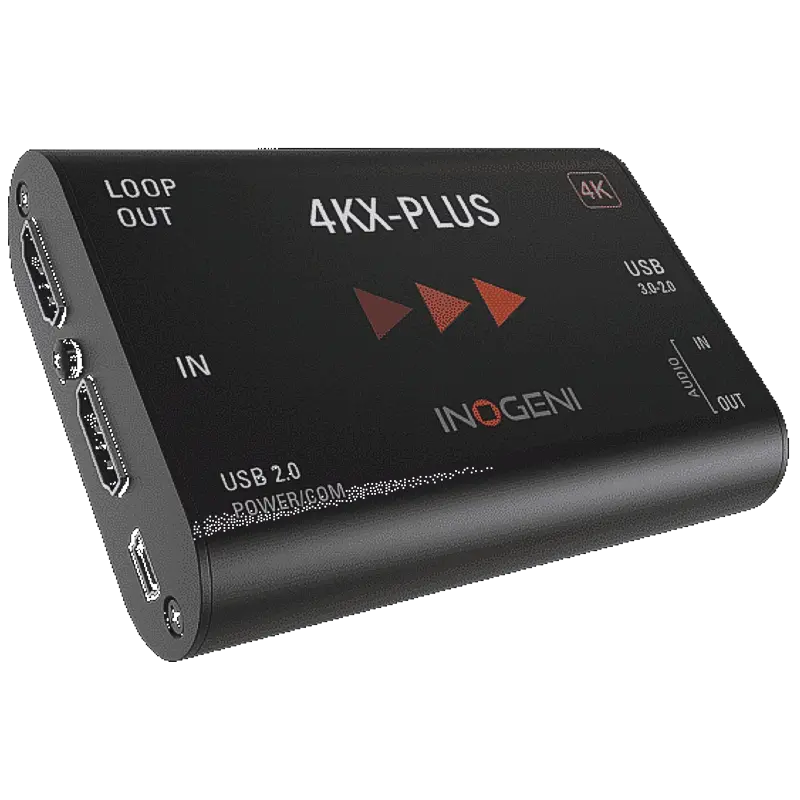
Inogeni 4KX-PLUS
Professional 4K HDMI to USB 3.0 capture with HDMI loop-through, BYOM (Bring Your Own Meeting) mode for room systems, and VISCA PTZ camera control.
- 4K HDMI to USB 3.0 capture — captures HDMI sources at up to 4K30 or 1080p60 for streaming, recording and video conferencing
- HDMI loop-through output — passes the HDMI source to a connected display simultaneously while capturing to USB, with no degradation
- BYOM (Bring Your Own Meeting) mode — enables a room display system to be taken over by a laptop visitor's meeting app via USB without changing room AV infrastructure
- VISCA PTZ camera control via USB — control a connected PTZ camera with VISCA commands over the same USB connection, eliminating a separate control cable
- Driverless UVC — works immediately on Windows, macOS and Linux as a standard capture device without driver installation
- Professional AV integration build — designed for permanent installation in conference rooms, lecture theatres and enterprise AV environments
What is the Inogeni 4KX-PLUS?
The 4KX-PLUS is Inogeni's flagship USB capture device for professional AV integration. It converts 4K HDMI to USB 3.0 while simultaneously passing the HDMI signal through to a connected display — allowing a room camera and display system to be integrated into video conferencing on a laptop without disrupting the existing AV infrastructure.
The BYOM (Bring Your Own Meeting) feature is the key differentiator. In a conference room where a display is connected to a room AV system, the 4KX-PLUS allows a visitor to bring their own laptop, connect via USB, and take over the room camera and display for their Teams, Zoom or Meet meeting — without touching the room's AV infrastructure or requiring IT support.
VISCA PTZ control over USB
The 4KX-PLUS includes VISCA PTZ control capability over the USB connection. This means a PTZ camera with VISCA RS-232 output can be controlled by software on the connected PC via the same USB cable that carries the video signal — eliminating the need for a separate serial control cable from the PC to the camera. This simplifies cabling in conference rooms and lecture theatres significantly.
For AV integrators
The 4KX-PLUS is specified by AV integrators for enterprise conference room deployments where BYOM, loop-through and PTZ control are required in a single device. The professional build quality suits permanent ceiling or desk rack installation.
| Video Input | |
| Input Connector | 1x HDMI (Type A) |
| Max Capture (4K) | 3840x2160 at 30fps (4K30) |
| Max Capture (HD) | 1920x1080 at 60fps (1080p60) |
| HDMI Loop-Through | Yes — simultaneous pass-through to display |
| Host Connection | |
| Interface | USB 3.0 (SuperSpeed) |
| Capture Standard | UVC (USB Video Class) — driverless |
| PTZ Control | VISCA RS-232 via USB — PTZ camera control over same USB connection |
| BYOM | Bring Your Own Meeting — room display and camera takeover via USB |
| Audio | |
| Audio | Embedded HDMI audio — UAC driverless |
| Compatibility | |
| Operating Systems | Windows, macOS, Linux |
| Software | Zoom, Microsoft Teams, Google Meet, OBS Studio, and all UVC-compatible applications |
| Product Information | |
| SKU / Model | 4KX-PLUS |
| Warranty | 2-year Inogeni warranty |
| Pricing | Price on Application — contact us for a quote |
Specifications correct at time of publication. Contact us to confirm before specification.
The 4KX-PLUS is designed specifically for enterprise conference room AV integration with BYOM, loop-through and PTZ control requirements.
BYOM Conference Rooms
Enable any visitor with a laptop to take over the room's camera and display for their Teams, Zoom or Meet meeting via a single USB connection — without touching the room AV system or requiring IT assistance.
Lecture Theatre Integration
Integrate a PTZ camera and HDMI display into a lecture capture system. VISCA control via USB allows the lecturer's PC to control the PTZ camera position and zoom without a separate RS-232 cable.
Professional Camera Integration
Connect a PTZ camera to a production PC for streaming. The loop-through output feeds the camera signal to a production monitor while USB delivers the capture to OBS or vMix on the connected PC.
AV System Integrators
Specify for enterprise conference room deployments requiring BYOM, 4K loop-through and PTZ control in a single device. Reduces cabling complexity versus separate devices for each function.
Medical and Clinical Rooms
Capture HDMI from a clinical camera while passing the signal through to a consultation room display. The loop-through allows both recording and room display without a signal splitter.
Government and Corporate
Deploy in high-usage meeting rooms and committee chambers where visitor BYOM connectivity is required alongside permanent room AV infrastructure.
What does BYOM mean?
BYOM stands for Bring Your Own Meeting. In a conference room with a fixed display and camera connected to a room AV system, BYOM allows a visitor to plug their laptop into the 4KX-PLUS via USB and immediately use the room's camera and display in their own meeting application — Teams, Zoom, Meet etc — without reconfiguring the room AV system.
Does the HDMI loop-through add latency to the display?
No. The loop-through output is passive — it passes the HDMI signal directly to the display without processing, adding negligible latency. The display receives the source signal as if the 4KX-PLUS were not in the signal path.
How does VISCA PTZ control work over USB?
The 4KX-PLUS has an RS-232 connector for a VISCA PTZ camera. Control commands from the PC travel over the USB cable to the 4KX-PLUS, which then forwards them to the camera via RS-232. From the PC's perspective, it appears as a virtual serial port — compatible with PTZ control software that supports VISCA.
Inogeni capture devices are UVC compliant and work with any application that accepts a webcam or capture source, including all major video conferencing, streaming and editing platforms.
Conferencing & StreamingContact us to confirm compatibility with a specific platform or version not listed above.