
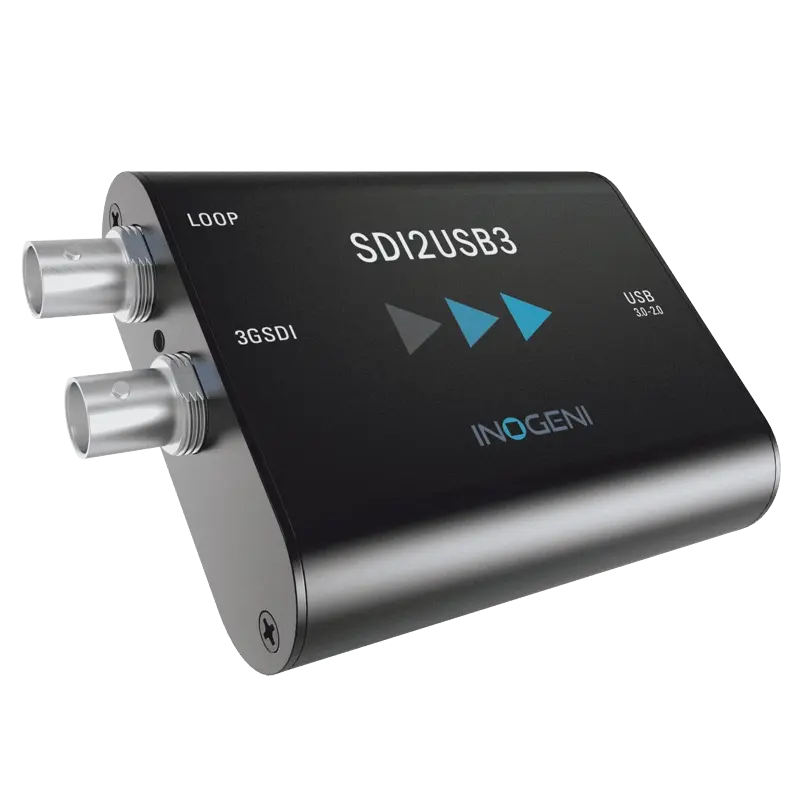
Inogeni SDI2USB3
Professional 3G-SDI to USB 3.0 capture with SDI loop-through output. SD/HD/3G-SDI up to 1080p60. Driverless UVC. Ideal for broadcast camera integration.
- SD-SDI, HD-SDI and 3G-SDI input — auto-detects and captures the full range of broadcast SDI formats up to 1080p60
- SDI loop-through output — passes the SDI signal to a downstream broadcast device, monitor or router while capturing to USB simultaneously
- Driverless UVC — recognised immediately on Windows, macOS and Linux as a standard capture device without driver installation
- Professional SDI broadcast standard compliance — suitable for integration into broadcast infrastructure and professional production environments
- Bus powered from USB — no external power supply, portable for ENG and field production workflows
- Works with Zoom, Teams, OBS, Adobe Premiere and all UVC software for broadcast camera integration into modern workflows
What is the Inogeni SDI2USB3?
The SDI2USB3 converts SD-SDI, HD-SDI and 3G-SDI broadcast camera signals into a USB video stream while simultaneously passing the SDI signal through to the rest of the broadcast signal chain. The loop-through output is the key feature: it means the SDI2USB3 can be inserted into an existing SDI signal path without breaking or splitting it — the broadcast infrastructure continues to receive the SDI feed unchanged.
SDI loop-through — insert without disruption
Many SDI capture devices terminate the SDI signal and do not pass it through. The SDI2USB3's loop-through output allows it to be inserted inline in an SDI signal chain — between a broadcast camera and a monitor, router or recording device — without disrupting the downstream broadcast path. The USB capture happens in parallel with the existing SDI distribution.
| Video Input | |
| SDI Input | 1x BNC — SD-SDI, HD-SDI, 3G-SDI |
| Max Capture | 1920x1080 at 60fps (1080p60 via 3G-SDI) |
| SDI Loop-Through | 1x BNC — simultaneous SDI output to downstream device |
| Host Connection | |
| Interface | USB 3.0 — UVC driverless |
| Power | Bus powered from USB |
| Compatibility | |
| Operating Systems | Windows, macOS, Linux |
| Software | All UVC-compatible applications |
| Product Information | |
| SKU / Model | SDI2USB3 |
| Warranty | 2-year Inogeni warranty |
| Pricing | Price on Application — contact us for a quote |
Specifications correct at time of publication. Contact us to confirm before specification.
The SDI2USB3 is for broadcast environments where SDI continuity through the signal chain must be maintained while adding USB capture capability.
Broadcast Camera Capture
Insert inline in an SDI signal chain to add USB capture without disrupting the downstream broadcast path.
SDI Camera Lecture Capture
Capture SDI lecture theatre cameras for recording software while continuing to feed the SDI to a monitor or routing system.
Broadcast Studio
Add USB conferencing capability to a broadcast SDI camera position without removing the camera from the broadcast infrastructure.
AV Integration
Specify where SDI loop-through is required alongside USB capture — the defining feature of the SDI2USB3 versus other SDI capture devices.
ENG and Field
Bus-powered SDI capture for laptop-based field production — insert between an ENG camera and a field monitor for simultaneous monitoring and capture.
Corporate Production
Integrate SDI corporate event cameras into a USB production workflow without removing them from the existing SDI infrastructure.
What is the SDI loop-through and why does it matter?
The loop-through outputs the incoming SDI signal to a second BNC connector simultaneously with the USB capture. This allows the SDI2USB3 to be inserted between a camera and a downstream device (monitor, router, recorder) without breaking the SDI path — the downstream device continues to receive the SDI feed normally.
Inogeni capture devices are UVC compliant and work with any application that accepts a webcam or capture source, including all major video conferencing, streaming and editing platforms.
Conferencing & StreamingContact us to confirm compatibility with a specific platform or version not listed above.