
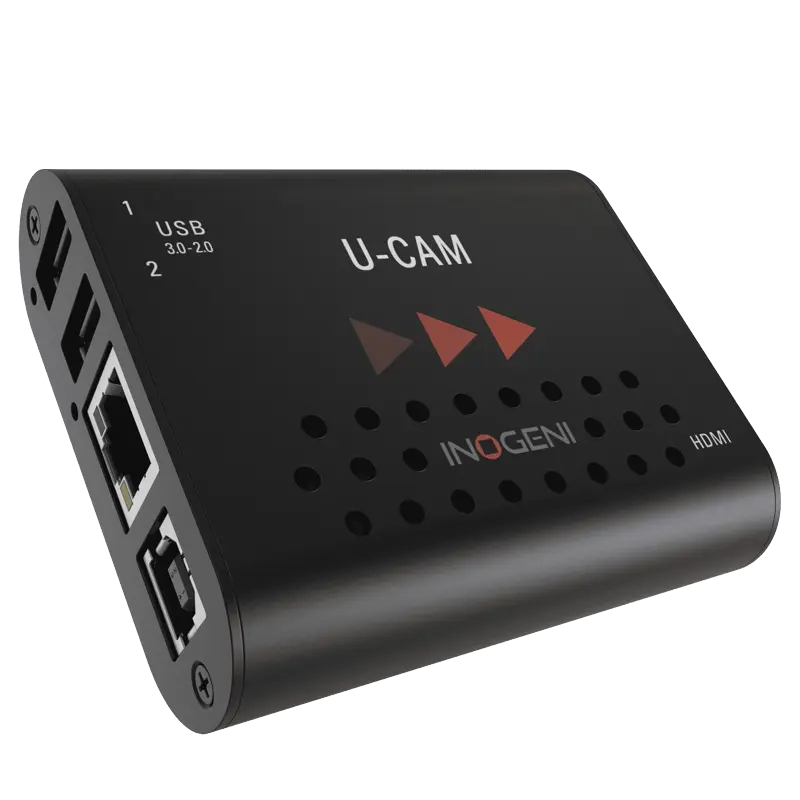
Inogeni U-CAM
Convert a USB webcam or UVC camera and USB audio source to an HDMI output signal. Enables USB cameras to be used in HDMI-based production systems and displays.
- USB UVC camera to HDMI output — converts any UVC-compliant USB webcam or camera into an HDMI signal for use in HDMI-based systems
- USB audio to HDMI — embeds the USB audio source into the HDMI signal, delivering a complete video and audio signal from a USB webcam to an HDMI destination
- Enables USB cameras in HDMI production systems — use a USB conference camera or webcam as an HDMI source in a video switcher, encoder or display
- Standalone operation — no PC required, the U-CAM converts USB camera output to HDMI independently
- Compatible with all UVC-compliant USB cameras — PTZ conference cameras, webcams, USB document cameras and other UVC devices
- Compact form factor — designed for permanent installation in conference room and AV rack environments
What is the Inogeni U-CAM?
The U-CAM solves the reverse problem from most Inogeni devices. Where the 4K2USB3 and similar devices convert HDMI cameras to USB, the U-CAM converts USB cameras to HDMI. This is useful when a USB webcam or conference camera needs to be integrated into an HDMI-based production or display system — a video switcher, hardware encoder, display or recording device that only has HDMI inputs.
It is particularly relevant in conference rooms where a USB PTZ conference camera (the Logitech, Poly or Jabra range, for example) needs to feed an HDMI-based video conferencing codec or AV switcher alongside HDMI cameras from the same production chain.
Standalone operation
The U-CAM does not require a PC to operate. It takes the USB camera and USB audio source as inputs and produces an HDMI output signal that any HDMI-accepting device can receive. This makes it a simple bridging device in an AV signal chain — plug in the USB camera, plug in the HDMI output to the destination, and the conversion happens independently.
| Input | |
| Camera Input | USB — UVC compliant camera |
| Audio Input | USB audio source |
| Output | |
| Video Output | HDMI — video and embedded audio |
| Operation | |
| PC Required | No — standalone operation |
| Camera Compatibility | Any UVC-compliant USB camera or webcam |
| Product Information | |
| SKU / Model | U-CAM |
| Warranty | 2-year Inogeni warranty |
| Pricing | Price on Application — contact us for a quote |
Specifications correct at time of publication. Contact us to confirm before specification.
The U-CAM bridges USB cameras into HDMI production systems without a PC — the niche but important reverse direction from most capture devices.
Conference Room Integration
Use a USB conference camera as an HDMI source in an HDMI video conferencing codec or AV switcher.
Production Switchers
Feed a USB webcam into an HDMI video switcher or hardware encoder that requires HDMI inputs.
Lecture Theatre
Integrate a USB document camera or webcam into an HDMI lecture capture system.
AV Integration
Bridge USB cameras into HDMI-based AV racks where USB camera inputs are not available.
Displays
Feed a USB camera signal to an HDMI display for monitoring without a connected PC.
Format Bridging
The specific solution for any deployment where USB-to-HDMI direction conversion is the requirement.
Does the U-CAM require a PC?
No. The U-CAM operates entirely standalone. Connect a USB UVC camera to its USB input and an HDMI cable to its HDMI output, and it converts the camera signal to HDMI independently without a PC or any software.
The U-CAM is a standalone hardware converter — no software or PC required. The HDMI output is received by any HDMI-accepting device.
The U-CAM is a standalone hardware device — it converts USB camera output to HDMI without any software or PC. The HDMI output it produces is compatible with any HDMI-accepting hardware encoder, video switcher, display or recording device.
Contact us to confirm compatibility with a specific platform or version not listed above.