
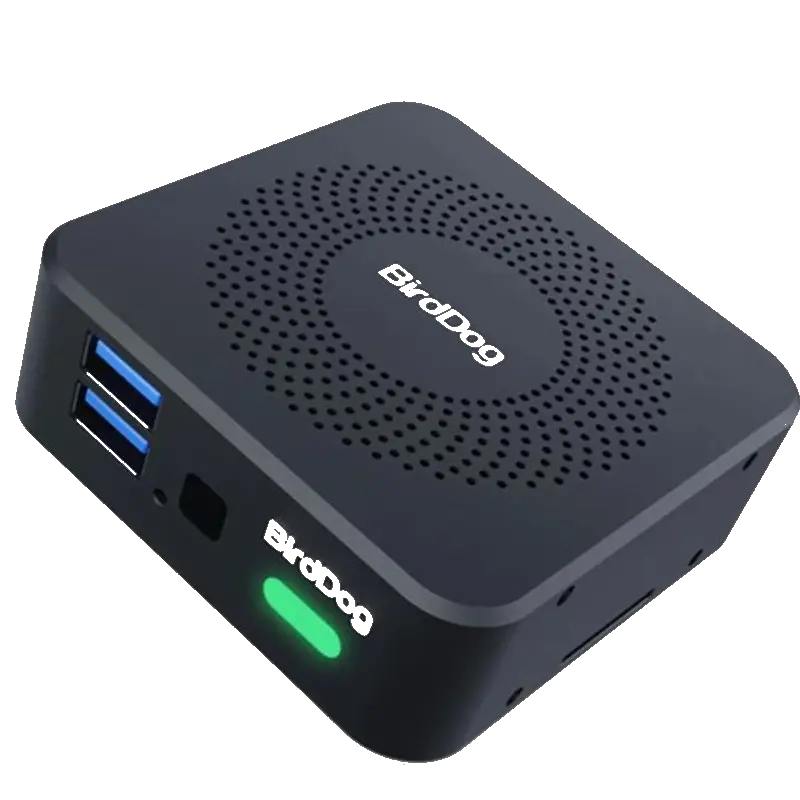
BirdDog PLAY PRO
Professional NDI to HDMI 4K60 decoder with expanded AV control integration. Adds RS-232, GPIO and RS-422 to the PLAY's feature set for permanent AV installations and deck control.
- Full NDI and NDI|HX3 decode to HDMI 4K60 — identical NDI receive capability to the PLAY with the addition of professional AV integration connections
- RS-232 serial control — industry-standard serial connection for integration with Crestron, AMX, Extron and other AV control systems that use RS-232 device control
- GPIO (General Purpose Input/Output) — trigger actions and receive signals from room automation systems, sensors and push-button wall plates for advanced AV integration scenarios
- RS-422 serial deck control — professional broadcast serial protocol for frame-accurate control of broadcast tape decks and VTRs alongside NDI decoding
- Crestron, Q-SYS, Zoom Rooms and RESTful API — the full suite of enterprise AV integration protocols, plus Zoom Room compatibility for corporate video conferencing environments
- The professional choice for permanent AV installations where RS-232 and GPIO control from a room automation system are system requirements
PLAY PRO vs PLAY — what is added
The PLAY PRO is the professional AV integration version of the BirdDog PLAY. The core NDI decoding functionality — Full NDI and NDI|HX3 to HDMI at 4K60 — is identical. The PRO adds the physical integration connections that professional AV integrators require for permanent installations: RS-232 for serial device control, GPIO for external trigger and automation inputs, and RS-422 for broadcast deck control.
In practice, the PLAY is the correct choice for consumer and prosumer deployments where TV remote control and USB-C power are the priorities. The PLAY PRO is the correct choice for permanent AV installations in corporate environments, broadcast facilities and educational institutions where the decoder is part of a Crestron or AMX room control system that issues RS-232 commands to manage it, or where GPIO triggers from room sensors or wall buttons need to switch NDI sources automatically.
RS-422 and broadcast deck control
RS-422 is the professional broadcast serial protocol used for frame-accurate control of broadcast tape decks — DigiBeta, HDCAM, D5, DVCAM and similar formats. The inclusion of RS-422 on the PLAY PRO makes it suitable for hybrid installations where NDI decoding and legacy tape playback occur at the same position, controlled from the same Crestron or custom serial control system.
GPIO for room automation
GPIO pins allow the PLAY PRO to receive input signals from physical sensors, push buttons and automation triggers, and to output signals to relays, indicators and other hardware. In an automated meeting room, for example, a room sensor could trigger the PLAY PRO to switch to a specific NDI source when a meeting begins — without user interaction or software commands.
| NDI Input | |
| NDI Standards | Full NDI and NDI|HX3 |
| Max Resolution | 4K Ultra HD at 60fps |
| Network | Gigabit Ethernet (RJ-45) |
| Video Output | |
| HDMI Output | HDMI (Type A) — up to 4K60 |
| AV Control Connections | |
| RS-232 | Serial control — AV control system integration |
| GPIO | General Purpose Input/Output — room automation triggers |
| RS-422 | Serial deck control — broadcast tape machine control |
| Integration | |
| Control Systems | Crestron driver, Q-SYS plugin, AMX module |
| API | RESTful API |
| Video Conferencing | Zoom Rooms integration |
| Product Information | |
| SKU / Model | BD-PLAY-PRO |
| Warranty | 2-year BirdDog warranty |
| Pricing | Price on Application — contact us for a quote |
Specifications correct at time of publication. Contact us to confirm before specification.
The PLAY PRO is specified for permanent professional AV installations where RS-232, GPIO or RS-422 integration with room control systems is a requirement.
AV Systems Integration
Permanent installations in corporate, educational and broadcast facilities where a Crestron, AMX or Extron control system manages NDI source switching via RS-232 commands.
Automated Meeting Rooms
GPIO inputs trigger NDI source switching automatically when room sensors detect occupancy or meeting start conditions — without user interaction.
Broadcast Monitoring Positions
Decode NDI at broadcast monitoring positions alongside RS-422 deck control — managing both NDI display and tape playback from the same control system connection.
University AV Infrastructure
Installed in lecture theatre AV racks controlled by campus Crestron systems for automated NDI source routing and display control.
Houses of Worship — Permanent
Rack-installed NDI decoder in a permanent AV control setup with Crestron control of source selection and GPIO-triggered preset recall during services.
Government and Corporate
Boardroom and committee room AV installations where enterprise AV control standards mandate RS-232 device control and GPIO integration for all AV endpoints.
What does RS-232 add over the standard PLAY?
RS-232 is a physical serial connection used by professional AV control systems (Crestron, AMX, Extron, Control4) to issue commands to AV devices — changing sources, adjusting settings, querying status. The PLAY PRO accepts RS-232 control commands from these systems, making it fully automatable in a professionally installed AV environment. The standard PLAY is managed via CEC or network API only.
What is GPIO used for?
GPIO (General Purpose Input/Output) provides physical electrical connections that can receive input signals (from sensors, buttons, contact closures) or output control signals (to relays, indicators, other hardware). In an AV installation, GPIO might be used to trigger a source switch when a presentation button is pressed, or to illuminate a status indicator when a specific NDI source is active.
All BirdDog devices output Full NDI — the highest quality NDI standard — making them immediately compatible with any NDI-capable production software on the local network.
NDI Production SoftwareBirdDog devices output Full NDI and are discovered automatically by all NDI-capable production software on the same Gigabit network subnet via mDNS. No manual IP configuration required.
Video Conferencing (via NDI plugin)Contact us to confirm compatibility with a specific platform or version not listed above.